Entity Perimeters or Barriers v
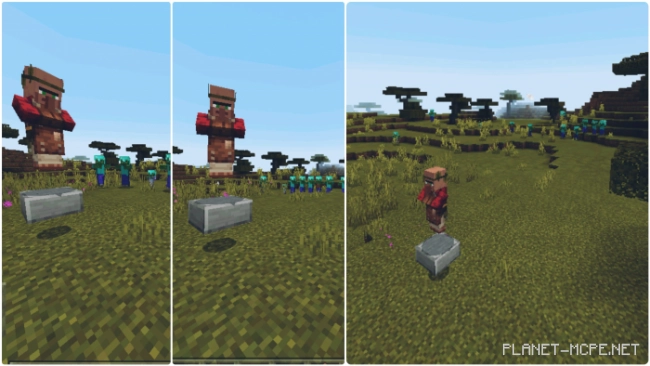
Want to avoid encounters with zombies, creepers, and other hostile mobs? The mod “Entity Perimeters or Barriers” will help you steer clear of them! It utilizes intuitive modern technology for pest removal and advanced methods to protect you and your world in Minecraft!
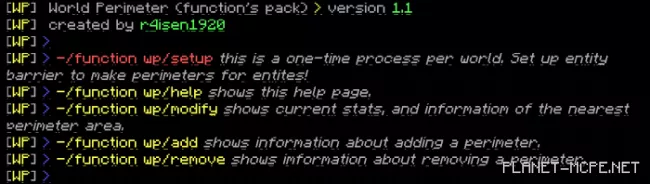
This functional package features a continuous team. To configure the function pack for optimal performance, type the command “/function wp/setup” in the game chat. After that, look a bit higher; a line will appear where you need to enter the next command. Here’s how it looks: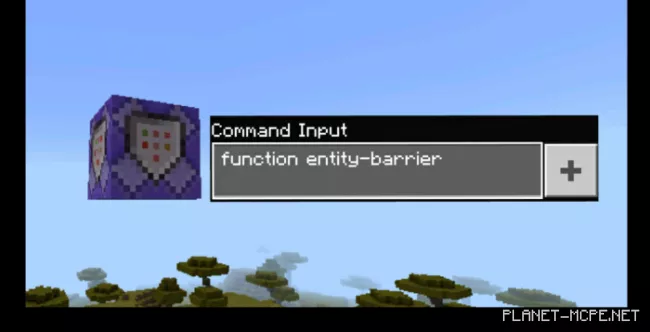
Once you have completed the setup, you can continue playing Minecraft Bedrock, now equipped with a functional package. This command block will serve as the foundation for the entire mod, and any damage to it may cause the whole package to malfunction. If this happens, follow these steps:
Primary:
1) Adding a Perimeter:
To create a perimeter area, you will need the following: 1 armor stand and most importantly, 1 name tag. An anvil may be necessary, as you will need to rename the name tag to Perimeter. 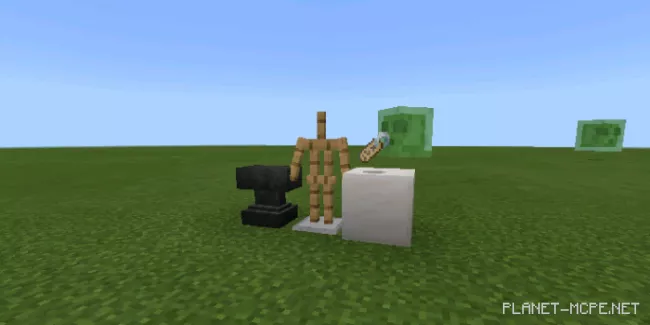 You can also type /function wp/add to receive in-game information about adding perimeters.
 2) Modifying Perimeters:
You can adjust the perimeter settings: radius and size. It is possible to configure whether dropped items can or cannot cross its boundaries. To do this, enter your perimeter, position yourself on two sides within it, type the command “/function wp/modify“, and modify the perimeter accordingly.
3) Removing Perimeters:
You can easily remove the perimeters just as you added them.
1) Size, radius:
The number of blocks that will have a barrier preventing mobs from entering is influenced by this setting.2) Exclusion of Elements:
This allows objects to enter the perimeter. The object can be either movable or stationary.