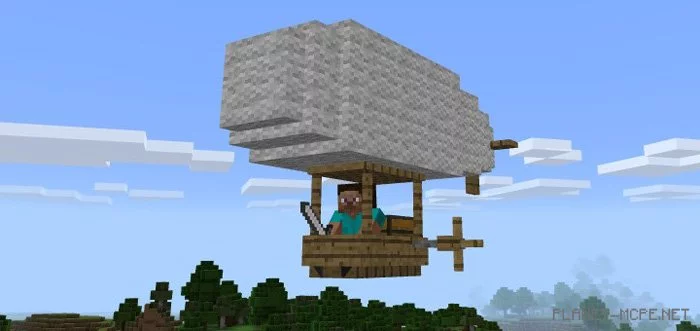
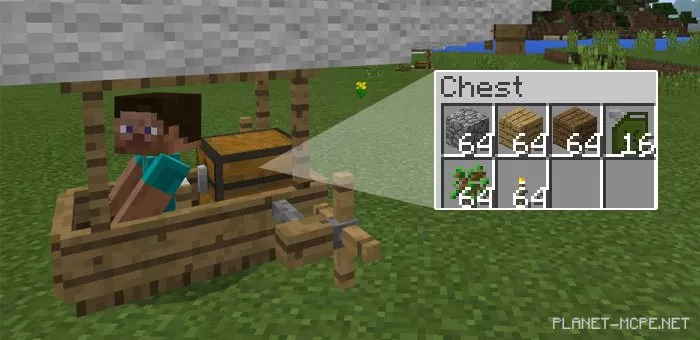
I believe many of you would love to use a flying vehicle in the world of Minecraft Pocket Edition, but such an opportunity has not been available until now. That’s why we invite you to download and install the mod called Zeppelin for Minecraft Pocket Edition. Once installed, this mod will introduce a zeppelin into your favorite game Minecraft PE. It accommodates one player, but you can also transport essential items during your flights, as it features a chest for storing items on board.
How to Fly the Zeppelin?
After installing this mod for Minecraft PE, you can find the zeppelin in the plains and forest biomes, as it replaces chickens in the MCPE world. Alternatively, you can spawn a zeppelin using an egg.
Make sure to take your seat on the zeppelin before taking off (to enable the zeppelin to ascend, throw fuel on it, which replaces snowballs in Minecraft Pocket Edition).
IOS / Android: Long press on the vehicle, then tap the Ride button that appears.
Windows 10: Right-click to fly the zeppelin.
Hold a fuel canister in your hand to control the zeppelin. You can refill it with gas by throwing more fuel canisters onto the vehicle.
The zeppelin’s inventory can be accessed in mid-air by simply opening the inventory. You can also access it by long-pressing and tapping the Open button.
Key Information about the Zeppelin:
Replaces chickens
Health: 20 hearts
Storage slots: 27
Begins to fly when fuel canisters are thrown on it