If you’re looking for a Minecraft world with defined boundaries, consider installing the mod titled Worldborder (World Borders). This mod is based on the /worldborder command from the Java version and provides users with 11 different area sizes: 16×16, 32×32, 64×64, and up to 20000×20000.
It is perfect for servers, PvP maps, or mini-games.
All 11 available sizes:
16×16
32×32
64×64
256×256
1024×1024
512×512
1024×1024
2048×2048
4096×4096
10000×10000
20000×20000
After installing the mod, a slider will appear in the settings of Minecraft, allowing you to select your desired size. For instance, if you choose a size of 512×512 blocks, you will need to move to x=256 or x=-256 and z=256 or z=-256 to reach the boundary. There, you will encounter an infinitely tall glass wall.Note: The boundary walls are generated bit by bit. This is due to the fact that the /fill command was used during creation, which does not allow for the entire wall to be created at once. Delays may occur during generation.
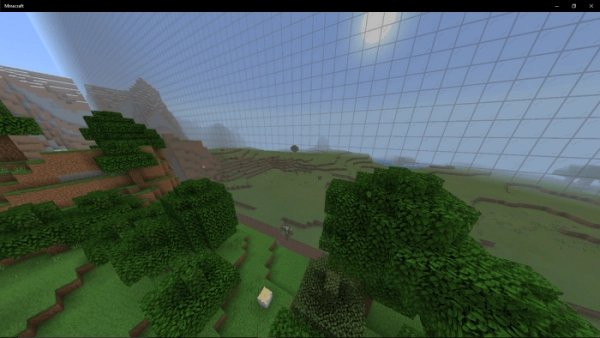
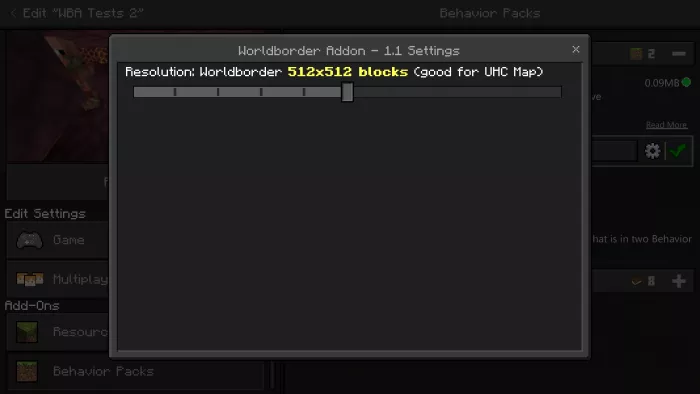 For instance, if you choose a size of 512×512 blocks, you will need to move to x=256 or x=-256 and z=256 or z=-256 to reach the boundary. There, you will encounter an infinitely tall glass wall.