World Fabricator
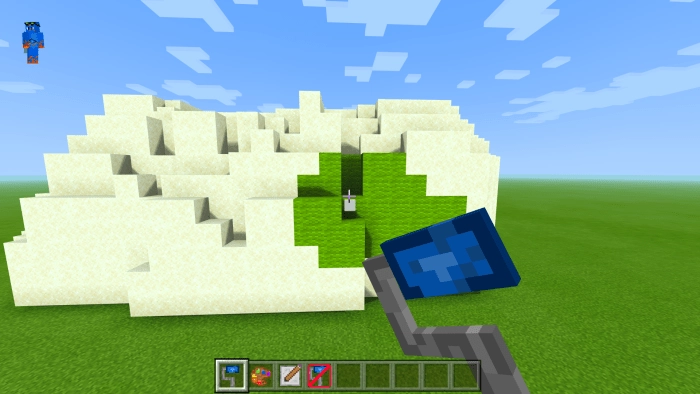
In the Bedrock version of Minecraft , crafting landscapes can be quite challenging. However, if you have the mod called World Fabricator , you can effortlessly create a massive mountain using various materials with just a few clicks.
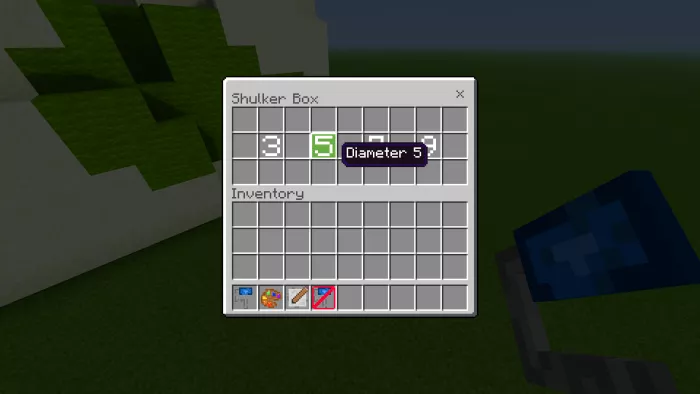
VIDEOUsers can customize brushes based on size, shape, material, and function. Furthermore, if you wish to create a new brush, simply use a chest. It’s akin to server shops.
Key Features of Brushes:
Cleaning brush;
Brush that allows for painting blocks that have already been placed;
Brush that generates random textures for subtle terrain detailing;
Masking tool for coloring only specific blocks;
Erase tool for shaping the terrain;
3 different brush shapes (sphere, cylinder, cube);
4 brushes of varying sizes;
27 blocks for construction and painting;
1655 functional files and 138 additional related files, all managed through built-in custom tools.
This mod is quite user-friendly, but if you encounter any issues, simply type the command “/ function setup ”.
Installing World Fabricator (.mcpack)
Download the mod labeled as “.mcpack ” below.
Run the downloaded file to import the add-on/texture into Minecraft .
Open Minecraft Pocket Edition and navigate to the world settings.
For the world, apply the imported: — Add-on Packs .
Select the imported resource packs/add-ons in each section.
It is advisable to restart the Minecraft PE game client afterward.
Launch Minecraft Pocket Edition , enter the previously configured world Minecraft , and enjoy the add-on!