📢 Купить рекламу на сайте  — узнать цены и условия размещения!
📢
Купить рекламу на сайте — узнать цены здесь →

World Edit 2

World Edit 2
11.04.2026 Mods admin 0 comments 1 min 100 views

If you’re dissatisfied with the appearance of the landscape, such as the spawn area in Minecraft Bedrock Edition, you can use the World Edit 2 mod. This mod enables you to alter it to your liking.
Features of the World Edit 2 Mod

A unique feature of the World Edit 2 modification is its operational area in Minecraft on Android. Unlike many similar addons, this one functions over a substantial square area measuring 100×100 blocks.
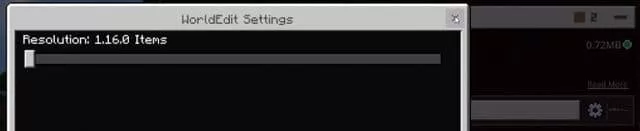
Control in Minecraft Pocket Edition is managed through commands. To enhance user experience, the creator has provided a variety of tools, including an eraser in MCPE that allows for the removal of specific blocks and even layers. Enjoy your gaming!


permissions=”accelerometer; encrypted-media; gyroscope; picture-in-picture”

fullscreenallowed>

Установка World Edit 2 (.mcaddon)

  • Download the mod labeled as “.mcaddon” from below.
  • Open the downloaded file to import the add-on/texture into Minecraft.
  • Launch Minecraft Pocket Edition and navigate to the world settings.
  • For your world, enable the imported:
    Resource Packs.
    Add-on Packs.
  • Select the imported resource packs/add-ons in each section.
  • It is advisable to restart the Minecraft PE client afterward.
  • Start Minecraft Pocket Edition, enter the previously configured world Minecraft, and enjoy the add-on!

Leave a comment