📢 Купить рекламу на сайте  — узнать цены и условия размещения!
📢
Купить рекламу на сайте — узнать цены здесь →

Unobtainable Items

Unobtainable Items
10.04.2026 Mods admin 0 comments 2 min 97 views

If you’ve been playing Minecraft PE for a long time, you might recall that certain blocks were removed from the game at some point. Today, we are excited to introduce a straightforward mod called Unobtainable Items for Minecraft Pocket Edition, which will make these blocks easily accessible to players. Some of these blocks were eliminated due to the removal of specific features. So, how can you acquire these new blocks? It’s simple: you need to find and defeat certain mobs in the MCPE world.

How Does It Work?

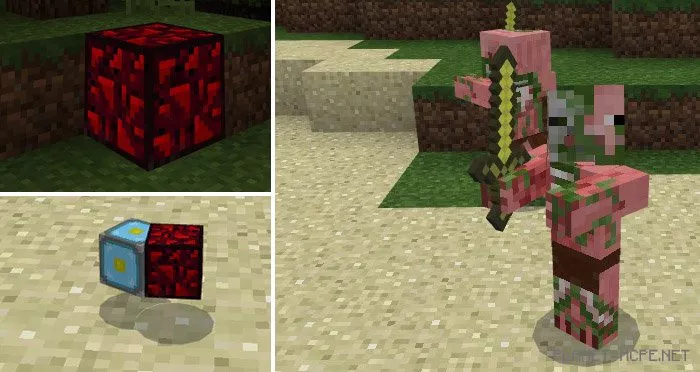
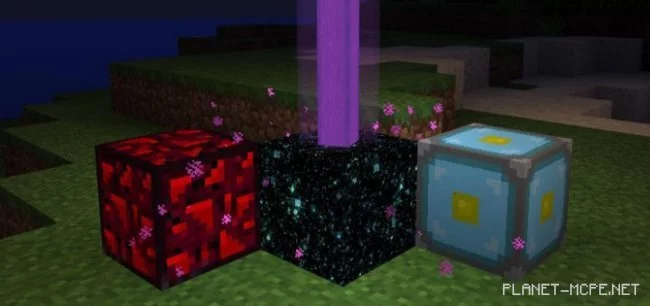
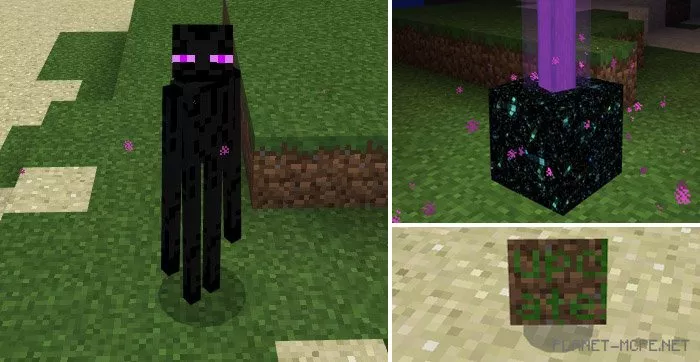
In the world of Minecraft Pocket Edition, four mobs will drop blocks that were once part of the game upon their defeat. Here’s a list of the blocks you can discover:

  • Invisible Bedrock – drops from the Wither
  • Stained Glass – drops from sheep (requires the Stained Glass Unlocker mod)
  • End Gateway – drops from the Enderman
  • Nether Reactor, Glowing Obsidian – drops from zombified piglins
  • Portal Block – drops from zombified piglins if killed with a fortune-enchanted sword
  • Ender Pearl – drops from the Enderman
  • Wither Star – drops from the Wither
  • Stonecutter – drops from the silverfish
  • Frosted Ice (1.1.0.9+) – drops from snow golems

All the new blocks you can now find in the MCPE world can be used to decorate your home. Each of the listed blocks, except for stained glass which requires textures, can be seen by any player who joins your map.
Changes

Bubble Column – drops from drowned (1.5)

Installing Unobtainable Items (.mcpack)

  • Download the mod labeled as “.mcpack” below.
  • Open the downloaded file to import the addon/texture into MCPE.
  • Launch Minecraft Pocket Edition and go to the world settings.
  • Set the imported:
    Add-on Packs for the world.
  • Select the imported resource/addon packs in each section.
  • It is recommended to restart the Minecraft PE client afterward.
  • Start Minecraft Pocket Edition, enter the previously configured MCPE world, and enjoy the addon!

Installing Unobtainable Items (.zip)

  • Download the mod below.
  • Extract the “Unobtainable items addon” folder from the archive.
  • Move the “Unobtainable items addon” folder to the /games/com.mojang/behavior_packs/ directory.
  • Launch Minecraft Pocket Edition.
  • Create a new world or edit an existing one.
  • Apply the addon you previously moved to the behavior_packs folder to the selected world.
  • Done! Restart Minecraft PE and enjoy your game!

Leave a comment