Tumble Craft : Donuts Update
The mod “Tumble Craft: Donuts Update” introduces new food items—donuts! Each donut provides unique effects for your character, and they are particularly handy for traveling since you can stack up to 6 in one slot.
This mod functions well in survival mode and multiplayer. Additionally, it features a sword made from pork chop and a sword crafted from pumpkin, which currently serve only as decorative items.
Donut Effects:
All crafting recipes are shapeless, meaning you can arrange the items in any order. Before crafting any type of donut, you must first create a basic one and then add an additional item to it.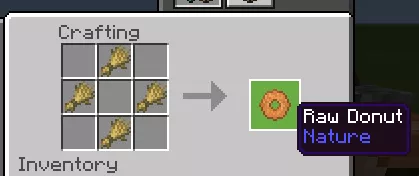
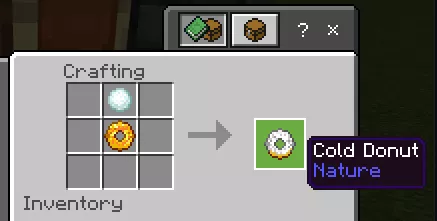
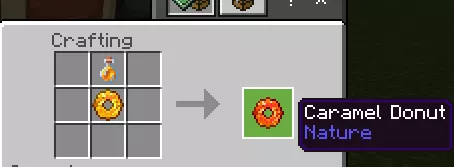
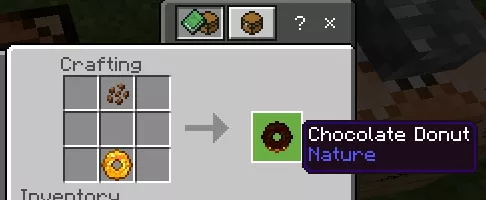
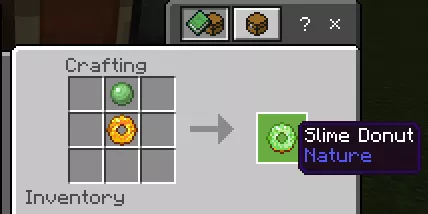
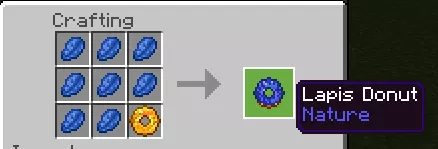
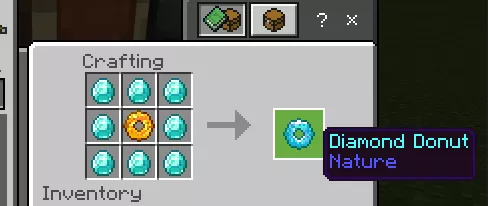
There is also a soul donut. This is a secret type, and its recipe is encoded in the image below. 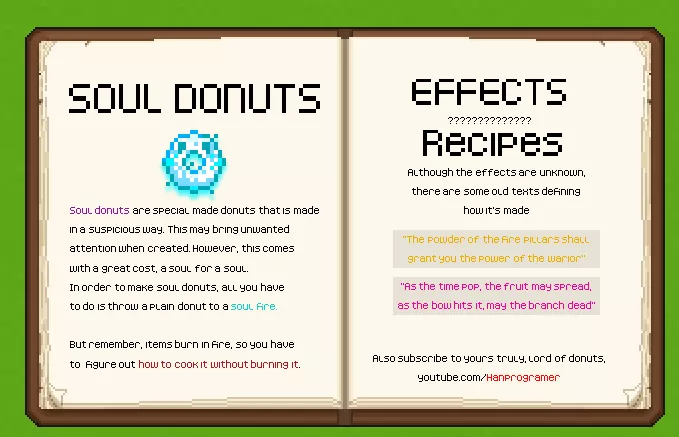 To acquire all the donuts at once in Minecraft, enter the command “/ function get.”