📢 Купить рекламу на сайте  — узнать цены и условия размещения!
📢
Купить рекламу на сайте — узнать цены здесь →

TrollersCraft

TrollersCraft
10.04.2026 Mods admin 0 comments 2 min 276 views

Do you often play Minecraft PE with your friends? Why not prank them by installing the new mod called TrollersCraft for Minecraft Pocket Edition? This mod alters the textures and properties of various blocks in the MCPE world. Many of these blocks are quite dangerous and are designed to create deadly traps that will surely surprise your friends! Just give this mod a try and watch how your friends react! They will definitely notice that something is off…

Examples of Changes

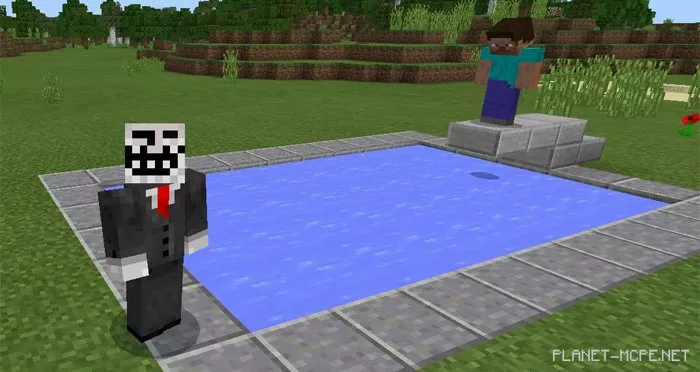
Imagine inviting Steve for a swim… 😉
TrollersCraft Mod 1.0/0.17.0/0.16.1/0.16.0

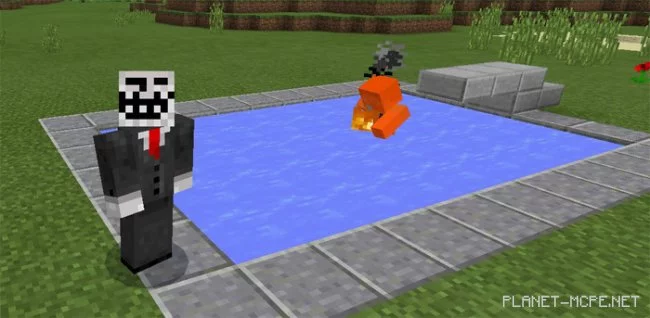
But what’s happening! The water has been replaced with lava from the Minecraft Pocket Edition world.
TrollersCraft Mod 1.0/0.17.0/0.16.1/0.16.0

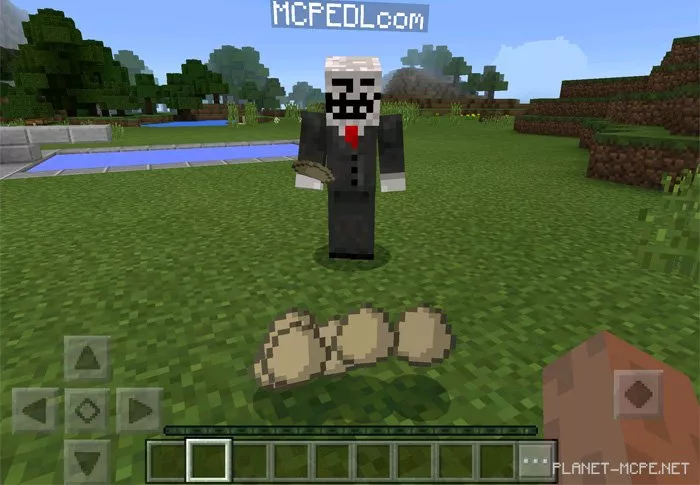
Oh, and here’s a player giving Steve some eggs from the MCPE world:
TrollersCraft Mod 1.0/0.17.0/0.16.1/0.16.0

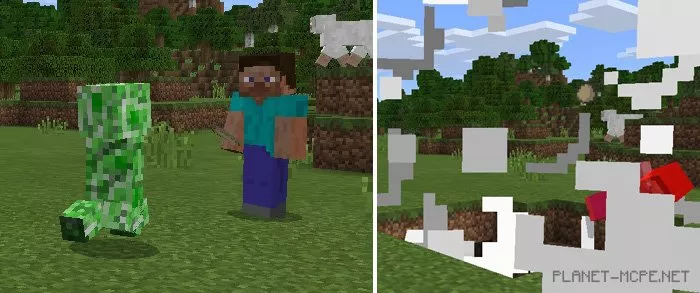
But using them will spawn a creeper right next to you!
TrollersCraft Mod 1.0/0.17.0/0.16.1/0.16.0

Here’s the complete list of changes:

  • Fire, anvils, and mob spawners are now invisible
  • Lava appears as water
  • Chicken eggs spawn creepers
  • TNT looks like grass blocks
  • Gold blocks also resemble grass

Installing TrollersCraft (.mcpack)

  • Download the mod marked with “.mcpack” below.
  • Open the downloaded file to import the addon/texture into MCPE.
  • Launch Minecraft Pocket Edition and go to the world settings.
  • Set the imported:
    Resource Packs for the world.
    Addons for the world.
  • Select the imported resource packs/addons in each section.
  • It’s recommended to restart the Minecraft PE client afterward.
  • Start Minecraft Pocket Edition, enter the previously configured MCPE world, and enjoy the addon!

Installing TrollersCraft (.zip)

  • Download the mod below.
  • Extract the two folders from the archive.
  • Move the folder “TrollersCraft Addon [By Cheete] BH” to the /games/com.mojang/behavior_packs/ folder.
  • Move the folder “TrollersCraft Addon [By Cheete] RP” to the /games/com.mojang/resource_packs/ folder.
  • Launch Minecraft Pocket Edition.
  • Create a new world or edit an existing one.
  • Set the selected world with the resource pack and addon that you previously moved to the resource_packs and behavior_packs folders.
  • Done! Restart Minecraft PE and enjoy your game!

Leave a comment