Supercharged TNT
Supercharged TNT Mod — this addon enhances the TNT block in Minecraft Pocket Edition, making it significantly more destructive. Not only will the explosion of TNT cause widespread devastation, but it will also ignite surrounding blocks after detonation. If you’re looking for a way to obliterate a vast area, the Supercharged TNT mod is exactly what you need. Additionally, keep in mind that the Supercharged TNT mod is compatible with versions of Minecraft PE 0.16.0 and above!
In the first example, let’s explore what the modified TNT block can do. In the screenshot below, you can see how we placed the TNT block near a building. The explosion resulted in massive destruction of the structure, and the fire that erupted quickly spread to all flammable items and blocks.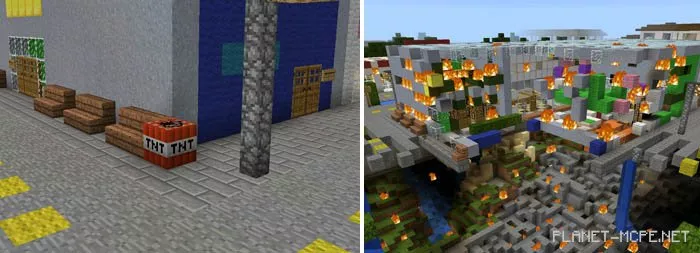
This village was overrun by zombies. To blow up a village of this size, I needed 15 TNT blocks. The result was simply astounding. Almost the entire island was ‘erased’ from existence, as if it had never been there.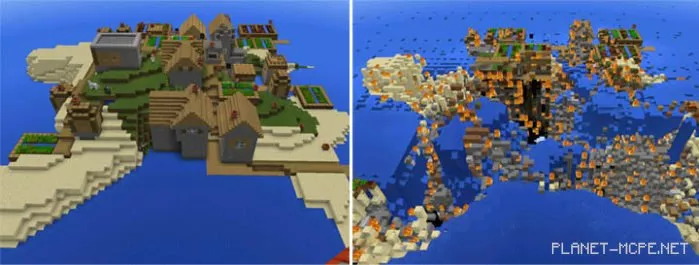
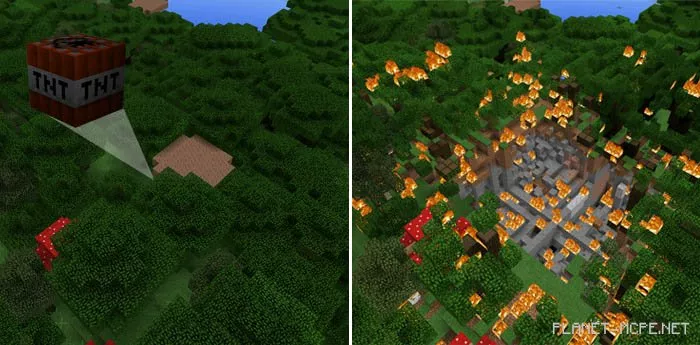
To illustrate how quickly fire spreads through trees after an explosion, we conducted a small test in a forest. Approximately 20 seconds after the blast, a large portion of the forest was engulfed in flames.
Never use TNT near your structures, as controlling the spread of fire can be extremely difficult!