📢 Купить рекламу на сайте  — узнать цены и условия размещения!
📢
Купить рекламу на сайте — узнать цены здесь →

Stained Glass Unlocker
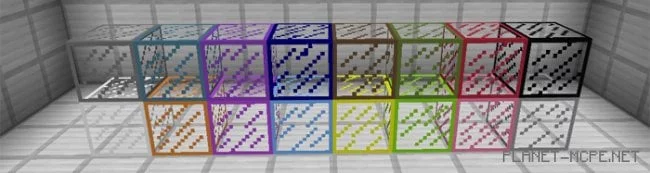
Stained Glass Unlocker
10.04.2026 Mods admin 0 comments 2 min 96 views

I believe that all fans of the pocket edition of Minecraft have been eagerly anticipating the introduction of colored glass in their beloved Minecraft PE, as the PC version of Minecraft has had colored glass for quite some time. Today, we are excited to present to you the modStained Glass Unlocker” for Minecraft Pocket Edition, which will finally bring these long-awaited colored glass blocks into the game! While glass blocks are already partially available in the game, they remain inactive, and this mod will activate the colored glass feature!

How does it work?

To obtain colored glass, you will need to use the console command in Minecraft Pocket Edition:

  • /setblock ~ ~ ~ stained_glass

For instance, if you want to get yellow glass in the MCPE world, you will need to enter the following command:

  • /setblock ~ ~ ~ stained_glass 4

Stained Glass Unlocker Mod 1.0/0.17.0/0.16.1/0.16.0

Colored Glass Codes

  • White: 0
  • Orange: 1
  • Purple: 2
  • Light Blue: 3
  • Yellow: 4
  • Lime: 5
  • Pink: 6
  • Gray: 7
  • Light Gray: 8
  • Cyan: 9
  • Magenta: 10
  • Blue: 11
  • Brown: 12
  • Green: 13
  • Red: 14
  • Black: 15

After entering the specific command, the colored glass block of your desired color will spawn in the MCPE world at your current location.
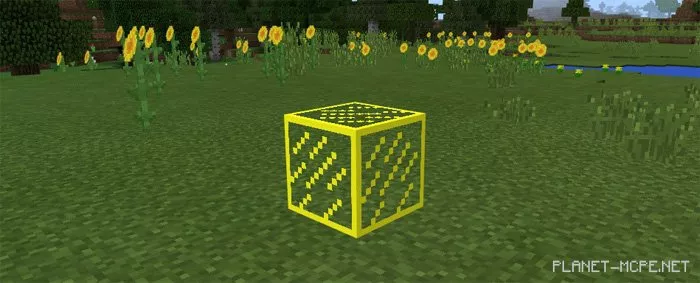
Stained Glass Unlocker Mod 1.0/0.17.0/0.16.1/0.16.0

There are 15 different colors available:
Stained Glass Unlocker Mod 1.0/0.17.0/0.16.1/0.16.0

You can also use console commands to place glass panes:
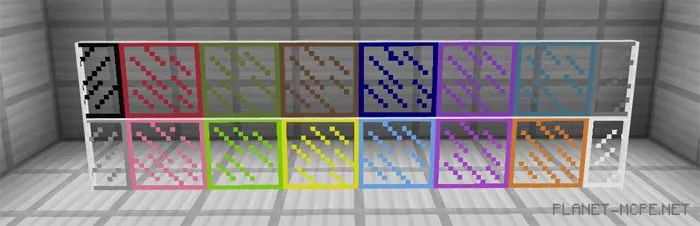
  • /setblock ~ ~ ~ stained_glass_pane

Stained Glass Unlocker Mod 1.0/0.17.0/0.16.1/0.16.0

If you are tired of using glass of the same color, you definitely need to install this mod for Minecraft Pocket Edition.
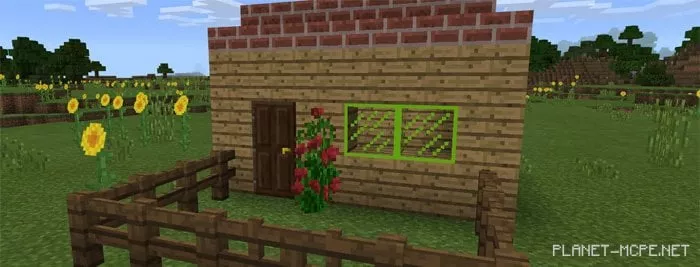
Stained Glass Unlocker Mod 1.0/0.17.0/0.16.1/0.16.0

Installing Stained Glass Unlocker (.mcpack)

  • Download the texture pack labeled as “.mcpack” below.
  • Run the downloaded file to import the addon/texture into MCPE.
  • Open Minecraft Pocket Edition and go to the world settings.
  • Set the imported:
    Resource Packs for the world.
  • Select the imported resource packs/addons in each section.
  • It is recommended to restart the Minecraft PE client afterward.
  • Launch Minecraft Pocket Edition, enter the previously configured MCPE world, and enjoy the texture pack!

Installing Stained Glass Unlocker (.zip):

  • Download the textures.
  • Create a folder named “resource_packs” in the directory “games/com.mojang/“.
  • Next, extract the textures from the archive and move only the folder from this archive into the “resource_packs” folder.
  • Go to the MCPE settings, then to texture management.
  • Select your textures.
  • Have fun playing!

Leave a comment