If you’re a fan of SCP or enjoy playing horror games, then the mod SCP-096 (Containment Breach) is tailor-made for you! It introduces a unique mob into your Minecraft world, complete with custom animations!
SCP-096, also known as the Shy Guy, is a creature from the original SCP game. It boasts an impressive artificial intelligence.
In Minecraft Bedrock, it won’t attack you unless you make eye contact with it. Once you look at its face, it will begin to weep and break apart.
When you catch sight of it, you’ll instinctively want to flee as far away as possible, because otherwise, it will eliminate you in an instant! Don’t even think about confronting it in Minecraft, as that would be a fatal mistake!
Features:
SCP-096 emits terrifying sounds when a player is nearby
SCP-096 has the ability to track down players and kill them instantly
It moves faster than players
It has 50,000 hearts
It appears very infrequently
Note: Avoid using this mod in your survival world.
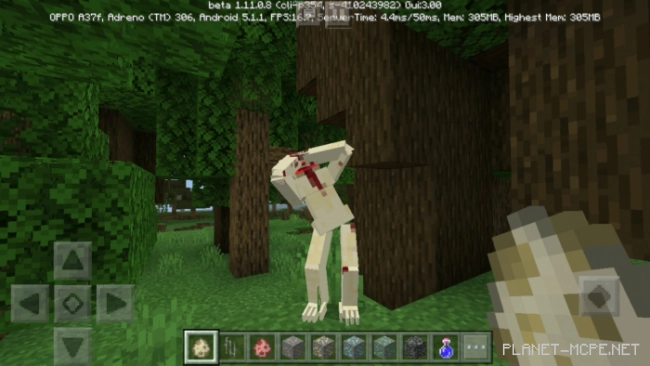
 In Minecraft Bedrock, it won’t attack you unless you make eye contact with it. Once you look at its face, it will begin to weep and break apart.
 Features: