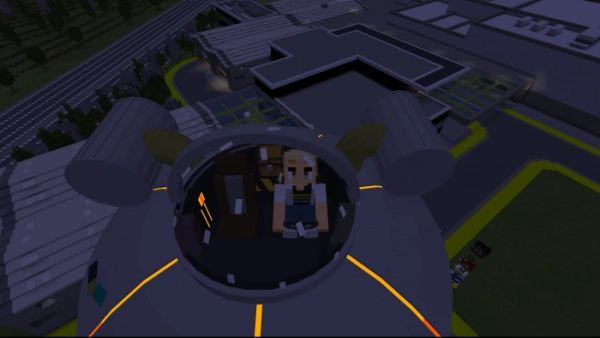
Rick and Morty’s Space Cruiser
Mod “Rick and Morty’s Space Cruiser” introduces a functional model of the spaceship from the animated series “Rick and Morty” into Minecraft.
Model creation process: A brief usage guide:Specifications:
- You can acquire the spaceship in the creative mode of Minecraft.
- This is a functional model, and you can see it in action in the video above.
- Utilize the key (saddle) within the ship.
- The spaceship’s inventory becomes available once you place a chest inside.
- The ship’s lights are always on when you point it upwards.
- There is an animation for the steering wheel.
- Summoning command: “summon: car:ram”
Instructions:
- To tame the ship, use coal or charcoal.
- Insert a chest inside.
- Place the key in the ship.
- To take flight, click the right mouse button (Windows 10) or tap on the screen (Minecraft: Pocket Edition).
It is advisable to enable experimental gameplay.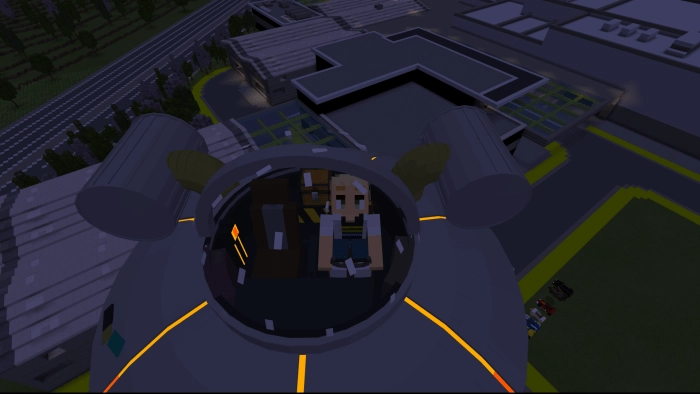
Installing Rick and Morty’s Space Cruiser (.mcpack)
- Download the mod labeled as “.mcpack” below.
- Run the downloaded file to import the add-on/texture into Minecraft.
- Open Minecraft Pocket Edition and navigate to the world settings.
- Set the imported options for the world:
— Resource Packs.
— Add-on Packs.
- Select the imported resource packs/add-ons in each section.
- It is recommended to restart the game client Minecraft PE afterward.
- Launch Minecraft Pocket Edition, enter the previously configured world Minecraft, and enjoy the add-on!