📢 Купить рекламу на сайте  — узнать цены и условия размещения!
📢
Купить рекламу на сайте — узнать цены здесь →

Queen Bee Boss

Queen Bee Boss
11.04.2026 Mods admin 0 comments 2 min 206 views

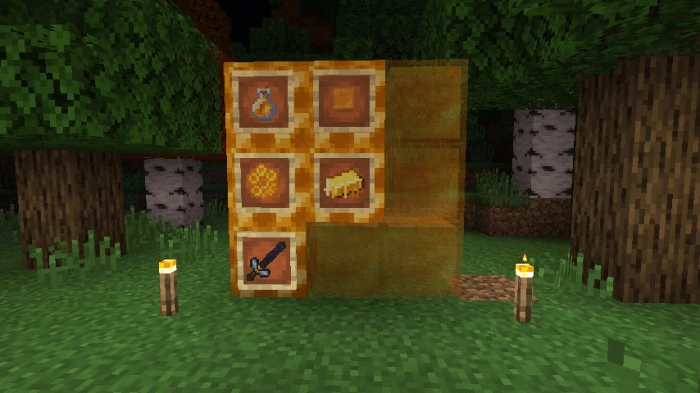
The modQueen Bee Boss” introduces a new boss, the queen bee, to Minecraft. This boss isn’t overly powerful, making it accessible for even novice players to defeat. Additionally, upon her defeat, the queen bee drops several highly valuable items. After conquering this new boss, you will receive:

  • A bottle of honey;
  • A honey block;
  • Honeycombs;
  • A bee stinger (a new item);
  • A bee ingot.

The video showcases a battle against a queen bee. The player was in creative mode in Minecraft Bedrock, which meant the bee did not retaliate. Fighting in survival mode is significantly more challenging.

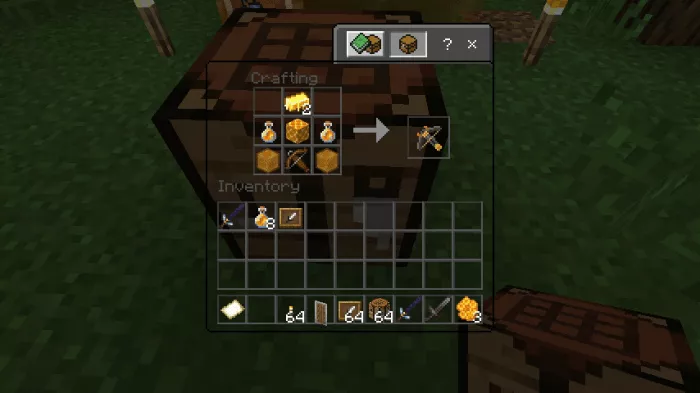
  This weapon is incredibly powerful, dealing 5 damage points upon direct hit to an enemy. If the projectile misses and does not hit a mob, it will explode instead. The gun fires rapidly without the need for reloading.
Installing Queen Bee Boss (.mcpack)

  • Download the mod labeled as “.mcpack” below.
  • Run the downloaded file to import the add-on/texture into Minecraft.
  • Open Minecraft Pocket Edition and navigate to the world settings.
  • For the world, set the imported:
    Resource Packs.
    Add-on Packs.
  • Select the imported resource packs/add-ons in each section.
  • It is recommended to restart the Minecraft PE client afterward.
  • Launch Minecraft Pocket Edition, enter the previously configured world Minecraft, and enjoy the add-on!

Установка Queen Bee Boss (.zip)

  • Download the mod from the link below.
  • Extract the two folders from the archive.
  • Move the folder titled Queen Bee Boss to the /games/com.mojang/behavior_packs/ directory.
  • Transfer the folder Queen Bee Boss to the /games/com.mojang/resource_packs/ directory.
  • Launch Minecraft Pocket Edition.
  • Create a new world or modify an existing one.
  • Apply the resource pack and addon that you previously moved to the resource_packs and behavior_packs folders for the selected world.
  • All set! Restart Minecraft PE and enjoy your game!

Leave a comment