📢 Купить рекламу на сайте  — узнать цены и условия размещения!
📢
Купить рекламу на сайте — узнать цены здесь →

Quad Bike

Quad Bike
10.04.2026 Mods admin 0 comments 2 min 266 views

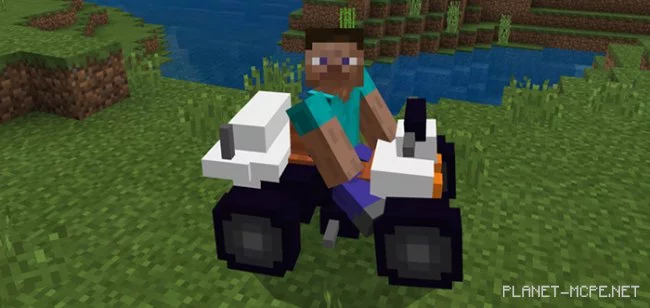
The modQuad Bike” replaces the standard spider in Minecraft Bedrock with a quad bike. This vehicle is suitable for all types of terrain, including forests and snowy biomes. It even features some really cool and realistic sounds. It’s the ideal mode of transport if you want to move around quickly and effortlessly in Minecraft.

How does it work?

To ride the quad bike, you first need to locate it. Since it replaces the spider, you are likely to find it spawning underground in dark areas, such as caves. Alternatively, you can simply use a spider spawn egg in Minecraft.

To ride the vehicle, just hop on and start moving.
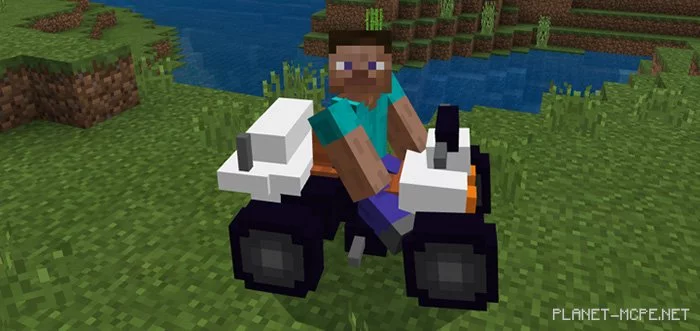
  • iOS / Android: Long press on the quad bike and select Ride
  • Windows 10: Right-click on the vehicle to ride it.

Installing Quad Bike (.mcpack)

  • Download the mod labeled “.mcpack” below.
  • Run the downloaded file to import the add-on/texture into MCPE.
  • Open Minecraft Pocket Edition and navigate to the world settings.
  • Set the imported options for the world:
    Resource Packs.
    Add-on Packs.
  • Select the imported resource packs/add-ons in each section.
  • It is recommended to restart the game client Minecraft PE afterward.
  • Launch Minecraft Pocket Edition, enter the previously configured world MCPE, and enjoy the add-on!

Leave a comment