Paper Tools
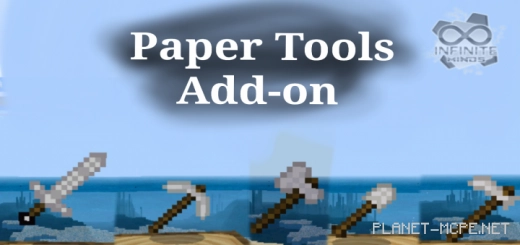
Trade in your sword, axe, and other items from Minecraft Bedrock for a unique experience by downloading the mod titled Paper Tools! This mod transforms all your tools into paper versions. While they may not be as powerful, they certainly add a fun twist!
Rest assured, none of your existing items will be lost; the mod simply introduces new ones. There are five items in total, crafted using paper.
Paper Sword:
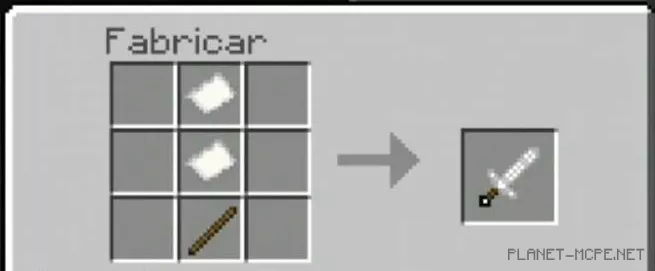
Paper Pickaxe: The rate at which it breaks stones is considerably lower compared to a standard pickaxe. When used, blocks do not drop. Stacking is possible.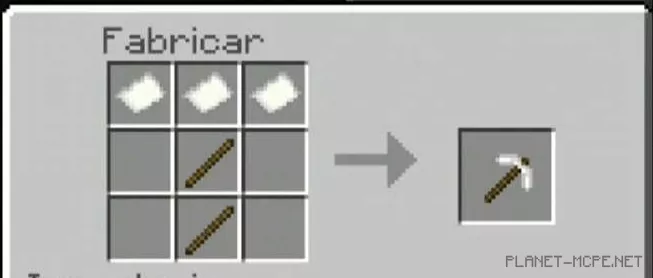 Paper Axe: You will gain quality when using the axe for chopping trees. However, there is a drawback—the axe cannot strip bark from logs. It has an attack damage of 3 and can also be stacked.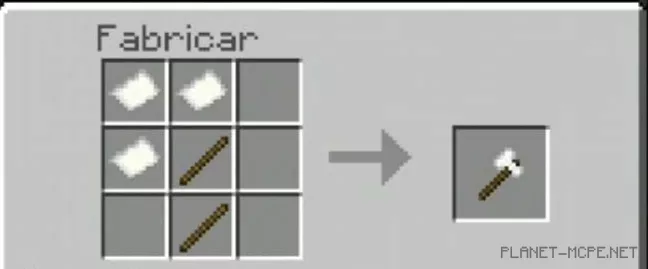
Paper Shovel: Utilizing it enhances the likelihood of obtaining flint from gravel. It can be stacked.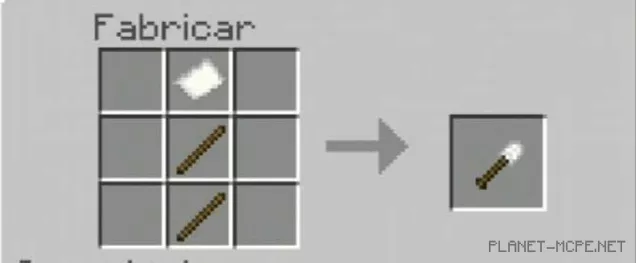
Paper Hoe: This tool is quite different from the standard Minecraft hoe and cannot be used for the same purposes. The best use for the paper hoe is as a weapon. It inflicts 3 damage per hit.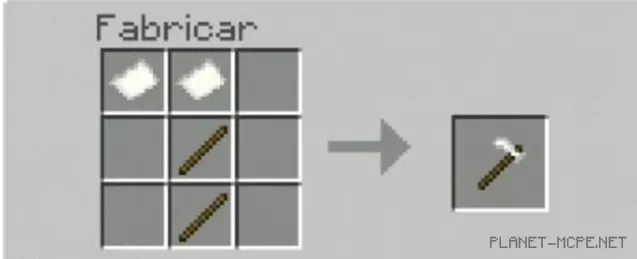
You can craft all items on your own or generate them by entering the command: “/function paper_tools”.