📢 Купить рекламу на сайте  — узнать цены и условия размещения!
📢
Купить рекламу на сайте — узнать цены здесь →

Nightly Wolf

Nightly Wolf
10.04.2026 Mods admin 0 comments 1 min 212 views

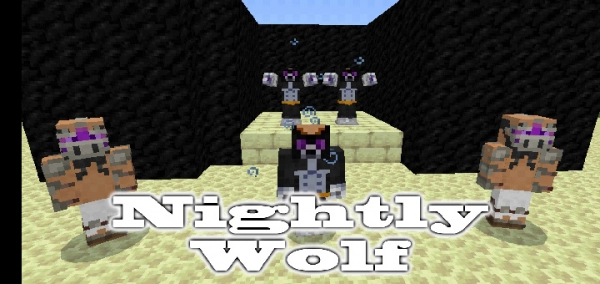
The mod called “Nightly Wolf” introduces a new item, two new mobs, and a full set of Nightly Wolf armor into Minecraft.

New mobs:

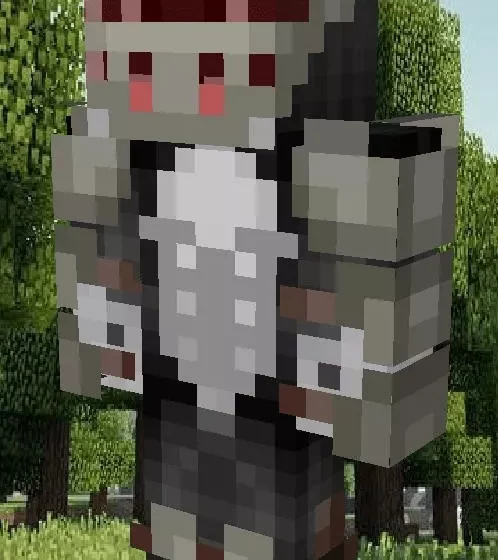
  • Warrior. This is a human dressed in armor. During the night, he transforms into a wolf warrior. He is a neutral mob: he won’t attack first, but will defend himself.
  • Wolf Warrior. This is the second form of the warrior, which awakens during the night. Upon death, he drops iron and a large hide.

Warrior.

Warrior-wolf.

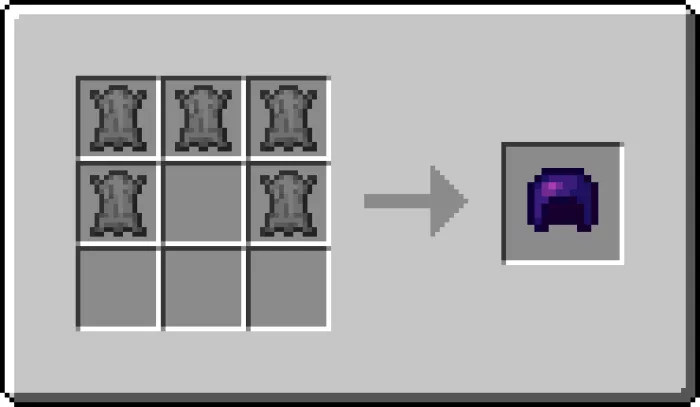
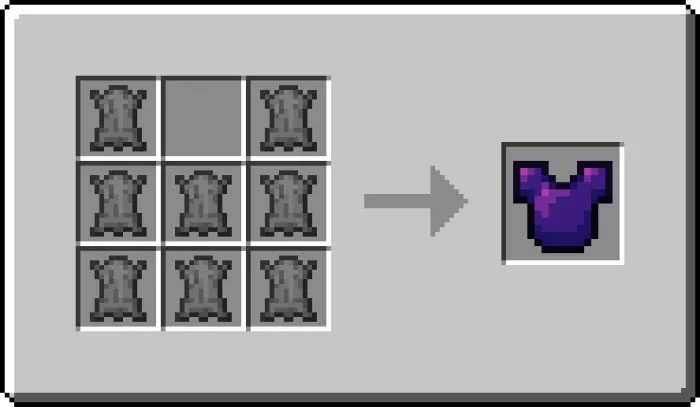
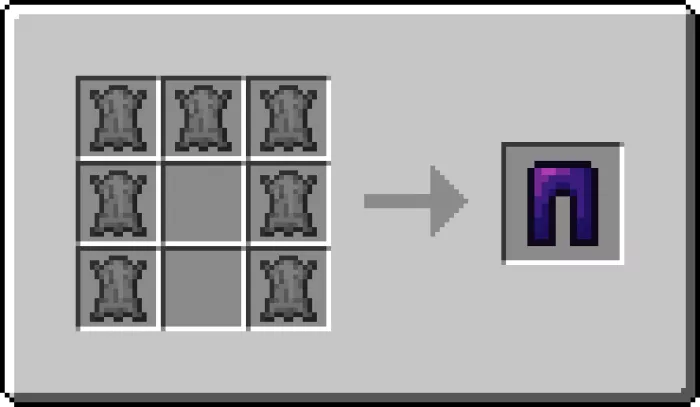
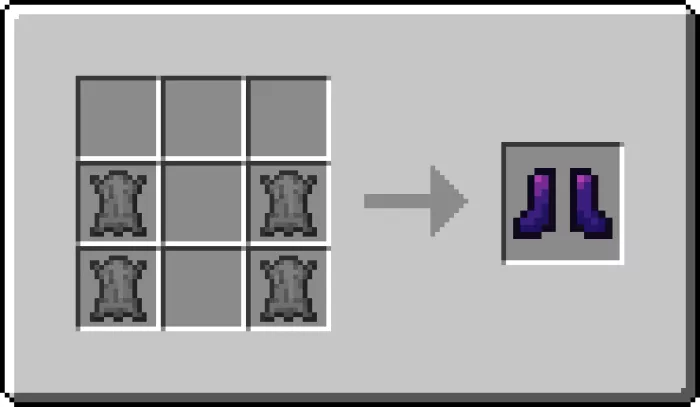
Discover a complete set of armor that will provide excellent protection for your Minecraft character. Here are the crafting recipes for each item.

Installation of Nightly Wolf (.mcpack)

  • Download the mod labeled as “.mcpack” below.
  • Run the downloaded file to import the add-on/texture into Minecraft.
  • Open Minecraft Pocket Edition and go to the world settings.
  • Install the imported for the world:
    Resource packs.
    Add-on packs.
  • Select the imported resource pack / add-on packs in each section.
  • We recommend restarting the game client Minecraft PE after this.
  • Launch Minecraft Pocket Edition, enter the previously configured world Minecraft and enjoy the add-on!

Leave a comment