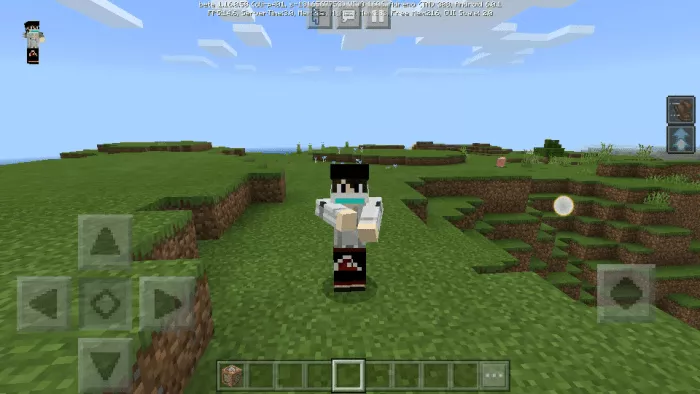
Naruto Run Animation
Enhance your Minecraft experience with the Naruto Run Animation mod . This new running animation for your character is based on Naruto’s running style from the anime of the same name.
Important: this is not an emotion, it’s an animation.
First animation – Naruto run
Minecraft Bedrock will run like Naruto.
Second animation – jutsu technique
VIDEO
How to Install Naruto Run Animation (.mcpack)
Download the mod labeled as “.mcpack ” below.
Run the downloaded file to import the add-on/texture into Minecraft .
Open Minecraft Pocket Edition and go to the world settings.
Install the imported resources for the world: Resource Packs Add-Ons
Select the imported resource packs/add-ons in each section.
We recommend restarting the Minecraft PE game client after this step.
Launch Minecraft Pocket Edition , enter the previously configured world in Minecraft , and enjoy the add-on!
Download Naruto Run Animation (.zip)
Get this mod below.
Extract two folders from the archive.
Move the folder “Naruto Run Animation ” to the directory /games/com.mojang/behavior_packs /
Move the folder “Naruto Run Animation ” to the directory /games/com.mojang/resource_packs /
Launch Minecraft Pocket Edition .
Create a new world or edit an existing one.
Apply the resource pack and addon you previously moved to the resource_packs and behavior_packs directories for the selected world.
Done! Restart Minecraft PE and enjoy the game!
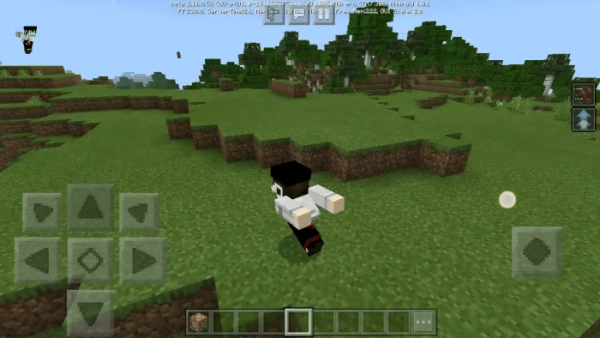
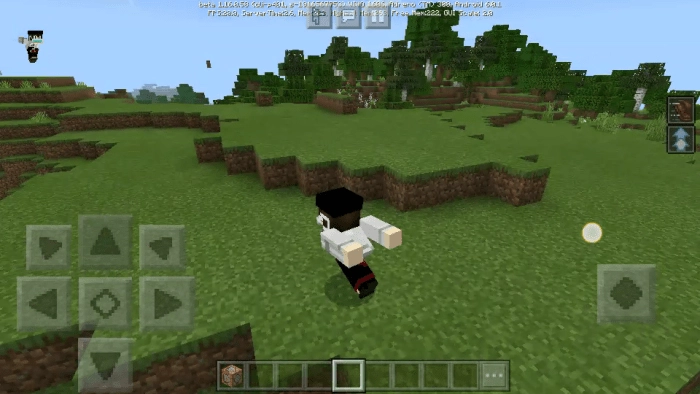
 Your character in Minecraft Bedrock will run like Naruto.