Mod Menu

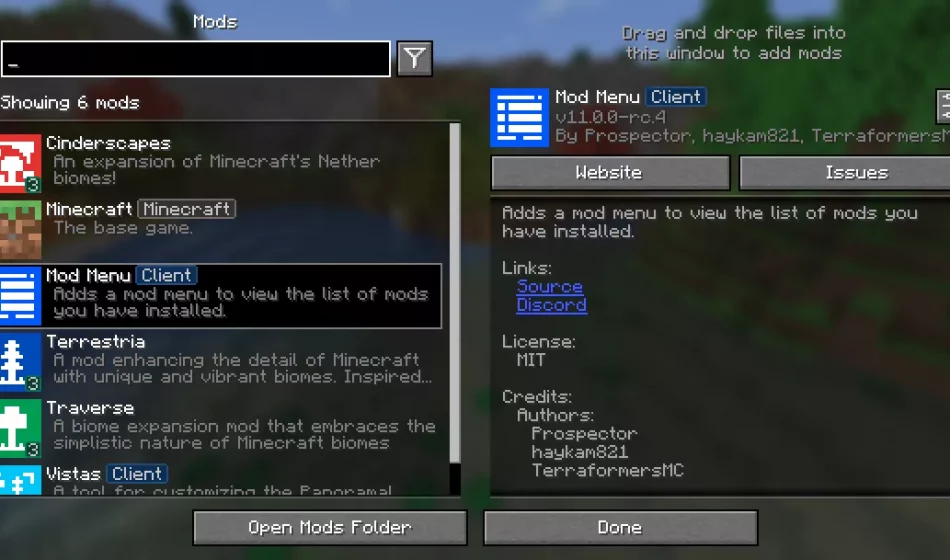
Acquire the Mod Menu to access and manage your installed mods effortlessly. This tool provides a detailed overview of your mods and allows quick configuration access where supported by the mod.
Enhanced Features:
Download Mod Menu is compatible with Fabric or Quilt on Minecraft: Java Edition version 1.14 and above.
Developers can utilize various APIs within Mod Menu to refine their mod display. These APIs include language keys, JSON metadata, and a Java API.
Easily translate mod names, summaries, and descriptions with supported translation key formats.
Example translations in Pirate Speak:
"modmenu.nameTranslation.modmenu": "Menu o' mods!",
"modmenu.descriptionTranslation.modmenu": "Menu o' mods ye installed matey!",
"modmenu.summaryTranslation.modmenu": "Menu o' mods ye installed matey!"
Add various elements to your mod with metadata in the fabric.mod.json file.
Example metadata structure:
{
  "custom": {
    "modmenu": {
      "links": {
        "modmenu.discord": "https://discord.gg/jEGF5fb"
      },
      "badges": [ "library", "deprecated" ],
      "parent": {
        "id": "example-api",
        "name": "Example API",
        "description": "Modular example library",
        "icon": "assets/example-api-module-v1/parent_icon.png",
        "badges": [ "library" ]
      },
      "update_checker": true
    }
  }
}
For Quilt mods, the same Fabric Metadata APIs are available, but the format for custom metadata differs slightly.
Include Mod Menu block in Quilt mods as a root element.
Integrate Mod Menu as a compile-time dependency in your gradle project to utilize the Java API.
Example gradle properties configuration:
modmenu_version=VERSION_NUMBER_HERE
Implement ModMenuApi interface on a class and define it as a modmenu entry point in the fabric.mod.json file.
Mods can create custom config screens using the getModConfigScreenFactory method in your API implementation.
Allow mods to provide custom config screens for other mods using the getProvidedConfigScreenFactories method in your API implementation.
Implement the attachModpackBadges method to assign Modpack badges to other mods.
ModMenuApi offers useful helper methods for mods to enhance Mod Menu integration.
Create a Mods screen instance:
Screen createModsScreen(Screen previous)
Create a Mods button Text:
Text createModsButtonText()