📢 Купить рекламу на сайте  — узнать цены и условия размещения!
📢
Купить рекламу на сайте — узнать цены здесь →

Mineral Foods

Mineral Foods
10.04.2026 Mods admin 0 comments 2 min 353 views

By using the Mod “Mineral Foods” you can craft Minecraft products with a specific mineral and create a new type of food that, by the way, has incredible effects.

What appears?

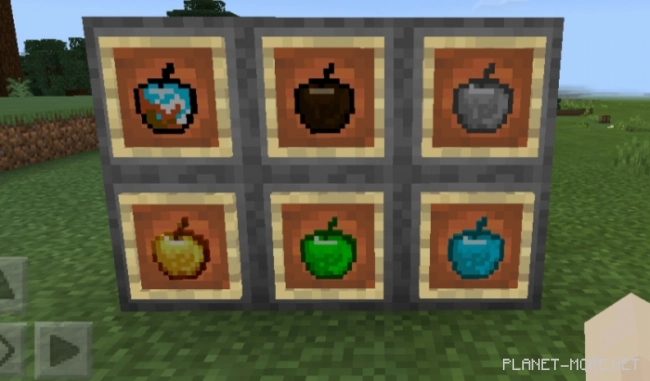
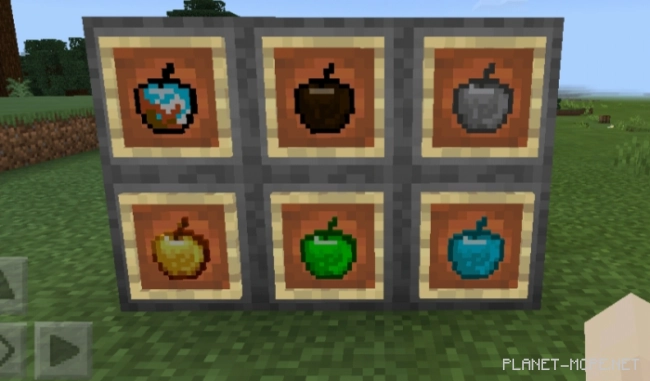
New types of apples:

Apples created by mixing with various ores. Consuming such apples will give the user Minecraft Bedrock incredible effects.

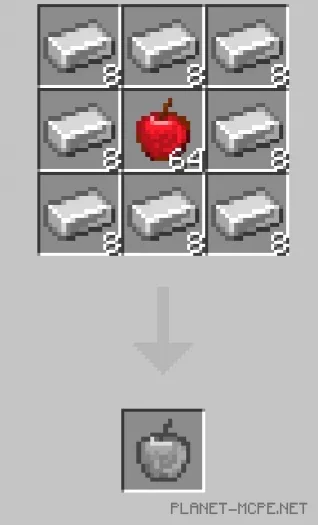
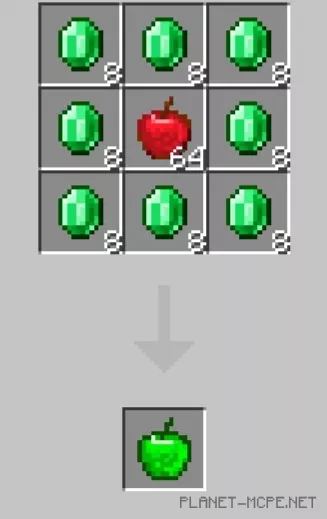
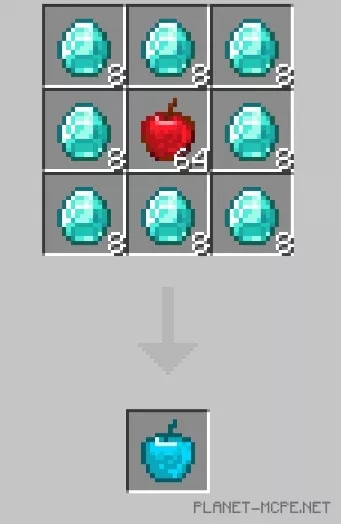
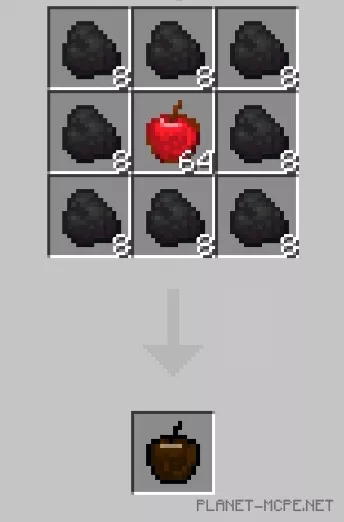
The recipe for their creation works just like with a golden apple: one apple in the center, and around it eight ores that you need. It is important that it must be ores, not blocks.

Varieties:

  • Coal Apple (effects: bad omen, regeneration)
  • Iron Apple (effects: regeneration, speed, jump boost)
  • Emerald Apple (effects: regeneration, speed, invisibility, fire resistance)
  • Diamond Apple (effects: regeneration, speed, fire resistance, invisibility, durability)
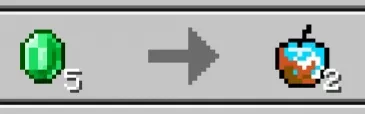
  • Basic Apple (effects: water breathing, slow falling, fire resistance, speed)

You can only get the Basic Apple in deals with the Wandering Trader.

New types of sweet berries:Berries that players consume will also provide different effects, but they will be noticeably weaker compared to apples.
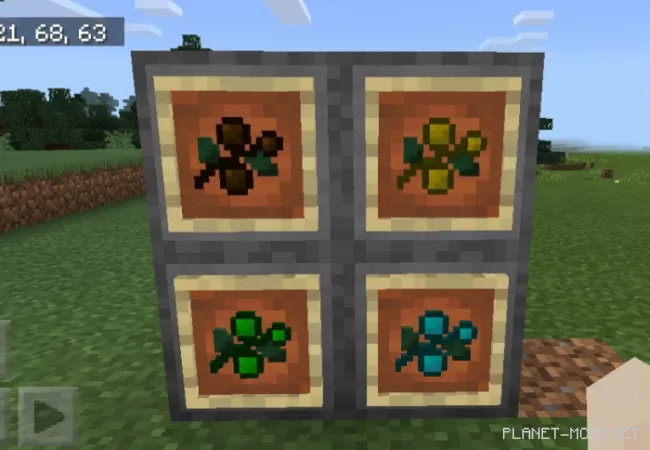
Varieties:

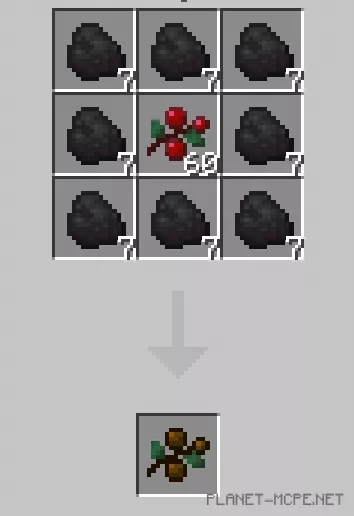
  • Coal Berries
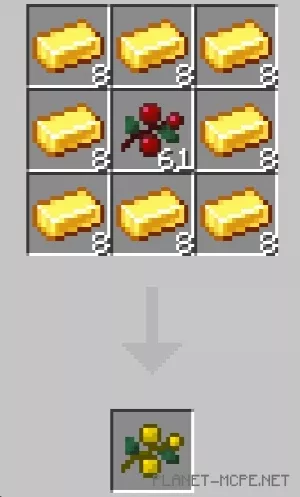
  • Golden Berries
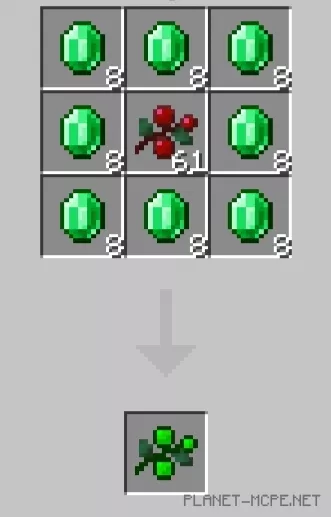
  • Emerald Berries
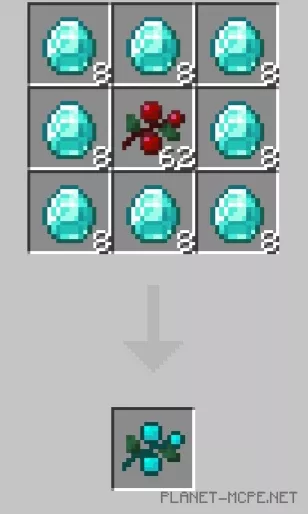
  • Diamond Berries

The recipe for different types of berries works like crafting golden apples: one berry in the center and around it eight ores, with a mix of which you want to create a new product. You need to use ore, not blocks.         
Mineral Foods Installation (.mcpack)

  • Download the mod labeled as “.mcpack” below.
  • Run the downloaded file to import the addon/texture into Minecraft.
  • Open Minecraft Pocket Edition and go to the world settings.
  • Install the imported packs for the world:
    — Resource Packs.
    — Add-on Packs.
  • Select the imported resource pack / add-on in each section.
  • We recommend restarting the game client Minecraft PE after this.
  • Launch Minecraft Pocket Edition, enter the previously configured world in Minecraft and enjoy the addon!

Leave a comment