📢 Купить рекламу на сайте  — узнать цены и условия размещения!
📢
Купить рекламу на сайте — узнать цены здесь →

Mine-Cars

Mine-Cars
10.04.2026 Mods admin 0 comments 2 min 270 views

ModMine-Cars (Mine-Cars)” introduces five new vehicles into the game, replacing five mobs. These cars are quite fast and offer players a fantastic way to navigate through the world of Minecraft PE. The vehicles are excellent as they do not require fuel, making them a glimpse into the future of transportation.

How to Drive a Car?

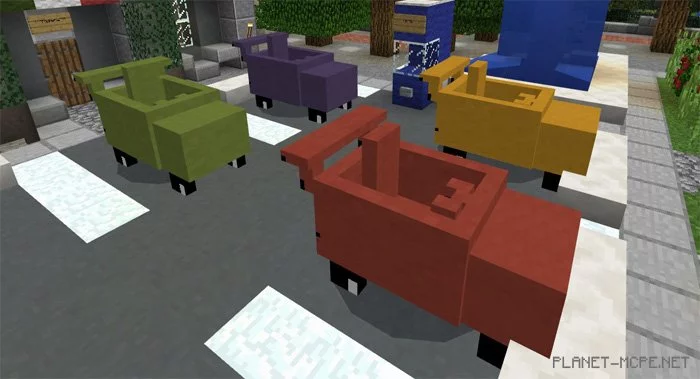
First, you need to locate a vehicle. The easiest method is likely to create one in creative mode of Minecraft PE. There are five distinct cars, each substituting a mob in the game:

  • Red car = Winter Zombie
  • Blue car = Wither Skeleton
  • Green car = Skeleton
  • Orange car = Zombified Piglin
  • Yellow car = Drowned

There is no difference in speed among these cars within the MCPE world.

  • iOS / Android: Long press on the car and select Drive to enter the vehicle.
  • Windows 10: Right-click to get into the car.

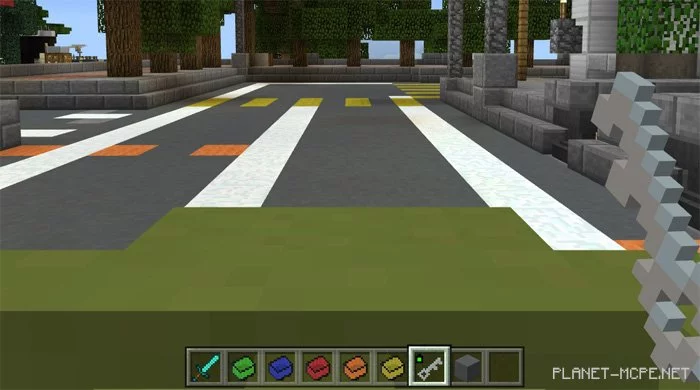
To operate the vehicle, you’ll need a key (carrot on a stick). Hold the key to steer the car and refrain from using it if you wish to stop the vehicle in MCPE.

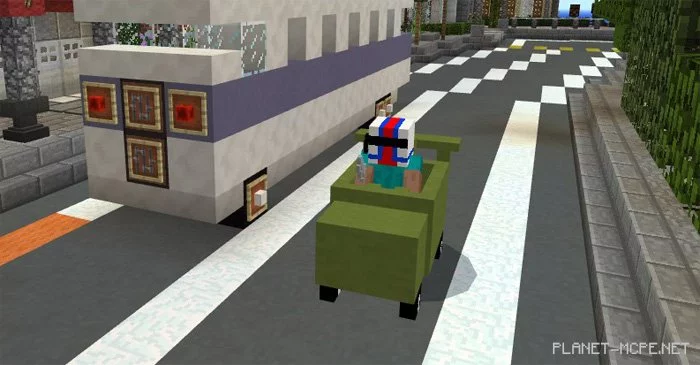
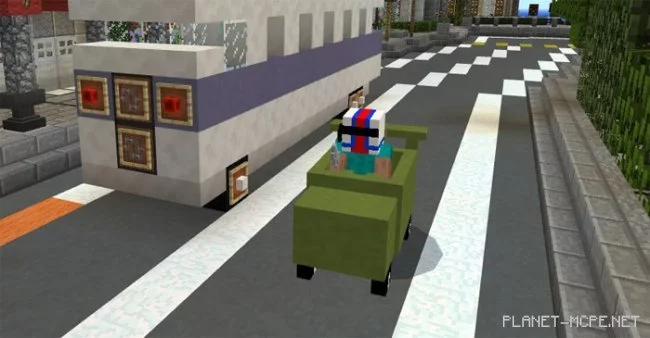
This is a great way to explore the world of Minecraft Pocket Edition, serving as an excellent alternative to horseback riding. Since it’s a convertible (with the top down), you might want to wear a helmet (chainmail helmet) for safety against injuries.
Additional Information

  • Cars will break when submerged in water

Video Review

Installing Mine-Cars (.mcpack)

  • Download the mod labeled “.mcpack” below.
  • Run the downloaded file to import the add-on/texture into MCPE.
  • Open Minecraft Pocket Edition and go to world settings.
  • Set the imported options for your world:
    Resource Packs.
    Add-ons.
  • Select the imported resource/add-on packs in each section.
  • It’s recommended to restart the Minecraft PE client afterward.
  • Launch Minecraft Pocket Edition, enter the previously configured world MCPE, and enjoy the add-on!

Installing Mine-Cars (.zip)

  • Download the mod below.
  • Extract two folders from the archive.
  • Move the folder “(Behavior) Mine-Cars V4” to the directory /games/com.mojang/behavior_packs/
  • Transfer the folder “(Resource) Mine-Cars V4” to the directory /games/com.mojang/resource_packs/
  • Start Minecraft Pocket Edition.
  • Create a new world or edit an existing one.
  • Assign the selected world with the resource pack and add-on that you moved earlier to the resource_packs and behavior_packs folders.
  • Done! Restart Minecraft PE and have fun playing!

Leave a comment