The mod “ExoSkeleton” introduces a robust suit that enhances your Minecraft character’s strength and speed. You can utilize it in survival mode or multiplayer.
How to use it?
In creative mode, you can acquire items using the command “/give“, as the latest versions of the game do not support custom items in the creative inventory.
In survival mode, you can craft all the components of the suit.
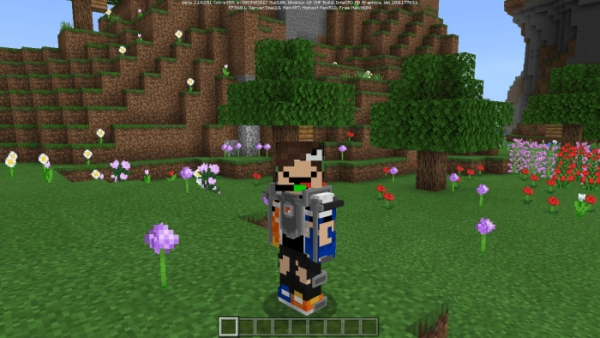
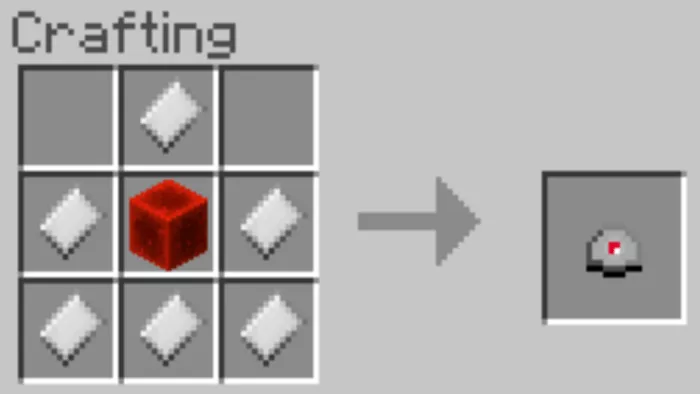
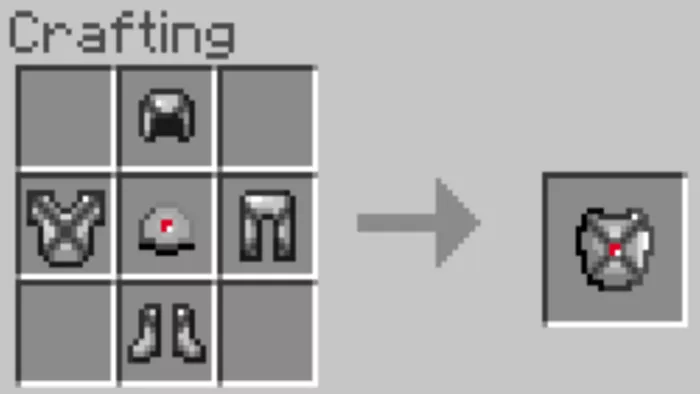
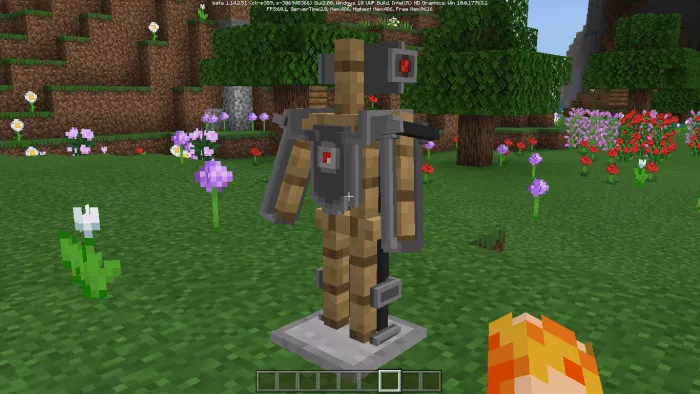
To start, you need to craft an iron hammer: Combine the hammer with an iron ingot to create iron plates: You will need to combine 4 iron plates with armor: The redstone reactor is a crucial component of the exoskeleton: Once all elements are prepared, combine them: The suit will appear on the player like this: To equip the suit, hold it in your hand and right-click (for MinecraftWindows 10), or tap the screen (for mobile devices). Immediately after equipping, you will receive:
Additional damage from attacks starts at 1 and gradually increases to 15. This damage is applied to the weapon you are using.
The number of hearts will rise to 20.
You will no longer take damage from falling.
Your movement speed will double.
There is a 50% chance that you will not experience a knockout from each hit you take.
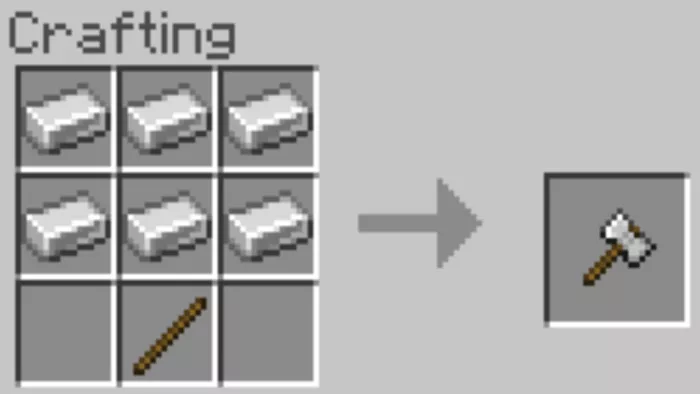 Combine the hammer with an iron ingot to create iron plates:
 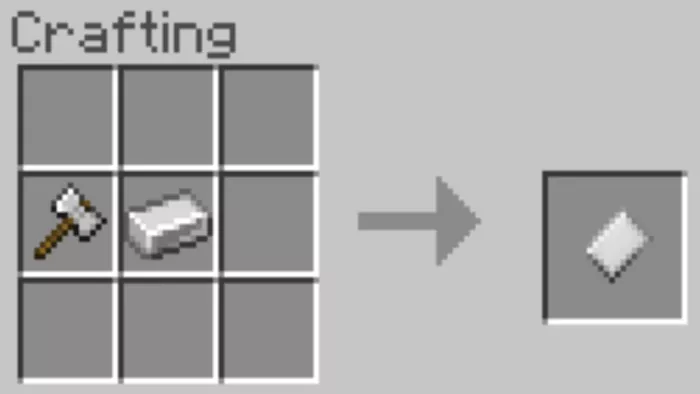 You will need to combine 4 iron plates with armor:
 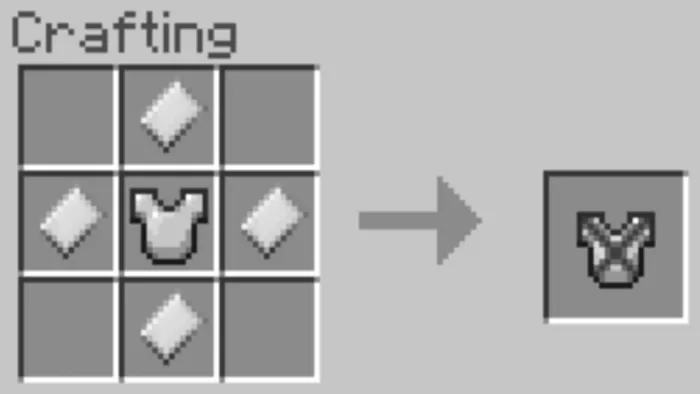 The redstone reactor is a crucial component of the exoskeleton:
  Once all elements are prepared, combine them:
  The suit will appear on the player like this:
  To equip the suit, hold it in your hand and right-click (for Minecraft Windows 10), or tap the screen (for mobile devices). Immediately after equipping, you will receive: