📢 Купить рекламу на сайте  — узнать цены и условия размещения!
📢
Купить рекламу на сайте — узнать цены здесь →

Eating Time!

Eating Time!
11.04.2026 Mods admin 0 comments 2 min 187 views

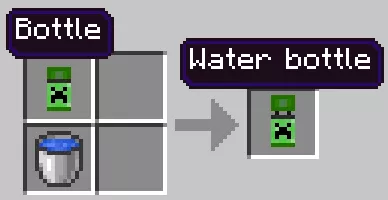
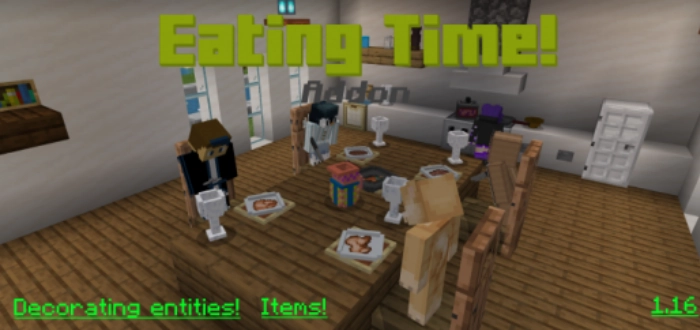
The mod «Eating Time! (Time to Eat)» introduces a variety of decorative tableware to Minecraft, including a water jug, salt shaker, plate, mug, fork, spoon, ladle, kitchen knife, napkins, a bottle, and a water bottle.

To acquire all the items, type the command «/function items» in the chat. If you wish to obtain a specific item, enter «/give @s et:», and a list will appear for you to choose from.

In addition to decorative items, a new type of food will be introduced in Minecraft.
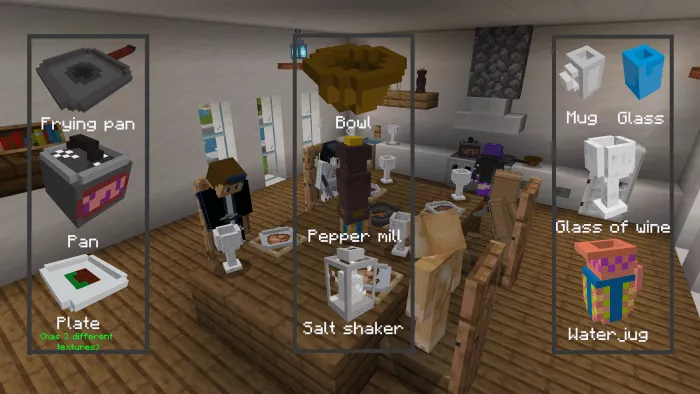
Decorative Items:

  • Plate (three types);
  • Glass;
  • Mug;
  • Wine glass;
  • Bowl;
  • Water pitcher;
  • Salt shaker;
  • Pepper mill;
  • Frying pan;
  • Pot.


permissions=”accelerometer; encrypted-media; gyroscope; picture-in-picture”

fullscreenallowed>

Установка Eating Time! (.mcpack)

  • Download the mod labeled as “.mcpack” from the list below.
  • Open the downloaded file to import the add-on/texture into Minecraft.
  • Launch Minecraft Pocket Edition and navigate to the world settings.
  • For your world, apply the imported:
    Resource Packs.
    Add-on Packs.
  • Select the imported resource packs/add-ons in each section.
  • It is advisable to restart the Minecraft PE client afterward.
  • Open Minecraft Pocket Edition, enter the previously configured world Minecraft, and enjoy the add-on!

Установка Eating Time! (.zip)

  • Download the mod from the link below.
  • Extract the two folders from the archive.
  • Move the folder titled Eating Time! to the /games/com.mojang/behavior_packs/ directory.
  • Transfer the folder Eating Time! to the /games/com.mojang/resource_packs/ directory.
  • Launch Minecraft Pocket Edition.
  • Create a new world or modify an existing one.
  • Apply the resource pack and addon that you previously moved to the resource_packs and behavior_packs folders for the selected world.
  • All set! Restart Minecraft PE and enjoy your game!

Leave a comment