📢 Купить рекламу на сайте  — узнать цены и условия размещения!
📢
Купить рекламу на сайте — узнать цены здесь →

Doberman Dog

Doberman Dog
10.04.2026 Mods admin 0 comments 2 min 356 views

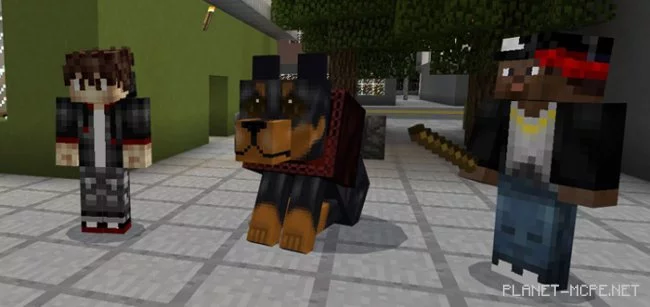
Have you ever considered that the wolf in Minecraft PE is quite a weak protector? Today, we invite you to install the modDoberman Dog” for Minecraft Pocket Edition. Once installed, the wolf in your game will be replaced by a real Doberman! This will be your new guard dog in the MCPE world, a large and powerful companion.

How does it work?

The main changes involve the health, textures, and damage of the dog. The Doberman has slightly more health and deals double the damage compared to the regular wolf in Minecraft Pocket Edition.

  • Replaces the wolf
  • Health: 15 full hearts
  • Damage: 7 points per attack

Everything else functions just like the standard wolf in MCPE. To tame the Doberman, you will still need regular bones. The Doberman will follow you throughout the Minecraft PE world, but you can command it to stop and sit:

  • IOS/Android: long press on the dog and tap the button that appears
  • Windows 10: right-click

Doberman Dog Mod 1.0/0.17.0/0.16.1/0.16.0

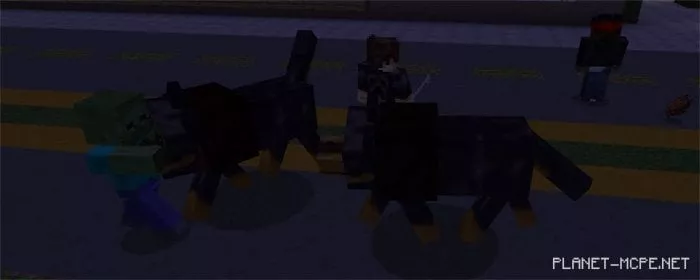
When you enter combat, your dogs will rush to assist you. Naturally, they will take damage, and you can heal them using any meat from the Minecraft Pocket Edition world.
Doberman Dog Mod 1.0/0.17.0/0.16.1/0.16.0

Installing Doberman Dog (.mcpack)

  • Download the mod labeled “.mcpack” below.
  • Run the downloaded file to import the add-on/texture into MCPE.
  • Open Minecraft Pocket Edition and go to the world settings.
  • Set the imported:
    Resource Packs.
    Add-on Packs.
  • Select the imported resource/add-on packs in each section.
  • It is recommended to restart the Minecraft PE client afterward.
  • Launch Minecraft Pocket Edition, enter the previously configured world MCPE, and enjoy the add-on!

Leave a comment