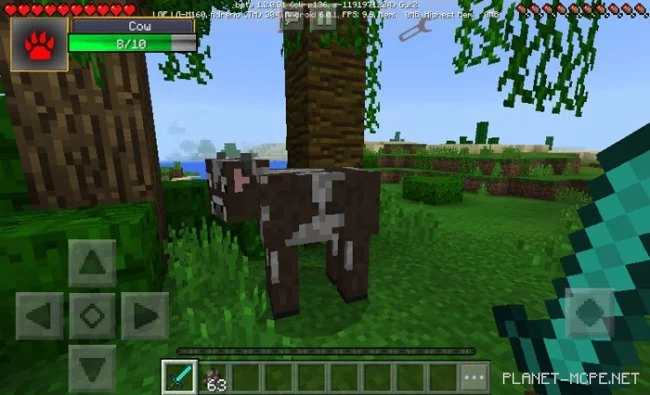
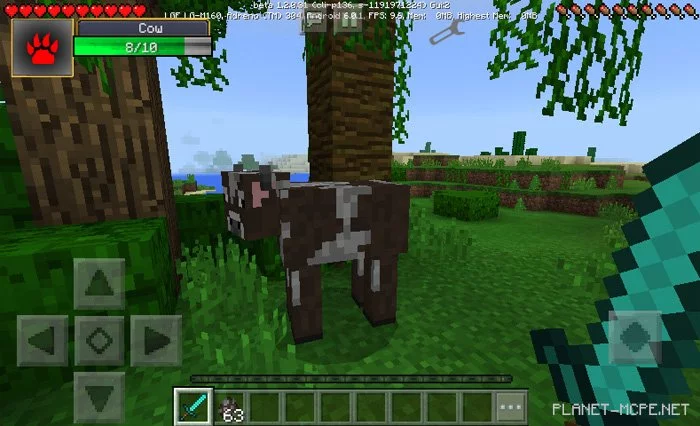
The mod «Damage Indicator» introduces a useful damage display window in the upper left corner of the user interface in Minecraft Pocket Edition. It activates as soon as you engage with a mob in MCPE (for instance, when you attack one) and shows the following information: the type of mob and its current health bar. This is a common method of displaying health, frequently seen in RPG games like Diablo, WoW, and many others.
How does the damage indicator work?
You’ll notice changes after you attack a mob. At that moment, you’ll see the RPG damage indicator appear in the upper left corner of the screen in Minecraft PE, which will disappear if the mob is dead or if you start interacting with another mob.
Video Review
Updates
New damage indicator skin templates (in-game design changes)
In the menu that appears, select ModPE Script or Import Script.
Press + and specify the path to your script. You can choose the file from your device’s memory or copy the URL js of the file from the mod download page.
It is recommended to restart the Minecraft PE client afterward.
Start Minecraft Pocket Edition, enter the previously set world in MCPE, and enjoy the addon!