📢 Купить рекламу на сайте  — узнать цены и условия размещения!
📢
Купить рекламу на сайте — узнать цены здесь →

Cookie Block

Cookie Block
11.04.2026 Mods admin 0 comments 1 min 286 views

Recall the tale of “Hansel and Gretel,” where the children stumbled upon a cottage made of gingerbread, chocolate, and other confections? Now, you can create a similar one in your own world of Minecraft by installing the mod titled Cookie Block (Cookie Block)!

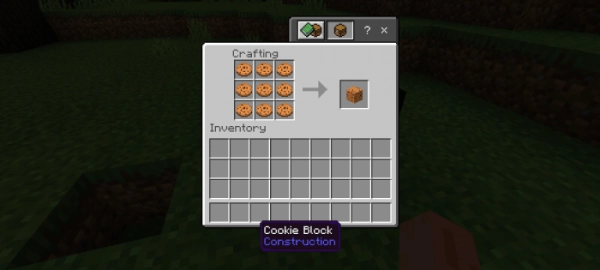
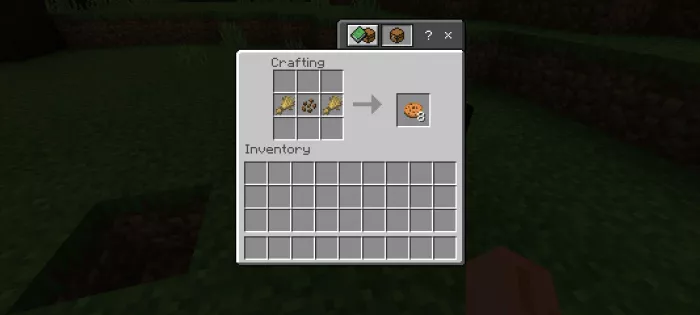
To create a cookie block, you need to craft 9 cookies and then place them in the crafting grid. When installing the mod in Minecraft, make sure to enable experimental gameplay.
  • Download the mod labeled as “.mcpack” below.
  • Open the downloaded file to import the addon/texture into Minecraft.
  • Launch Minecraft Pocket Edition and go to the world settings.
  • Set the imported options for the world:
    Resource Packs.
    Addon Packs.
  • Select the imported resource/addon packs in each section.
  • It is recommended to restart the game client Minecraft PE after this.
  • Start Minecraft Pocket Edition, enter the previously configured world Minecraft, and enjoy the addon!

Leave a comment