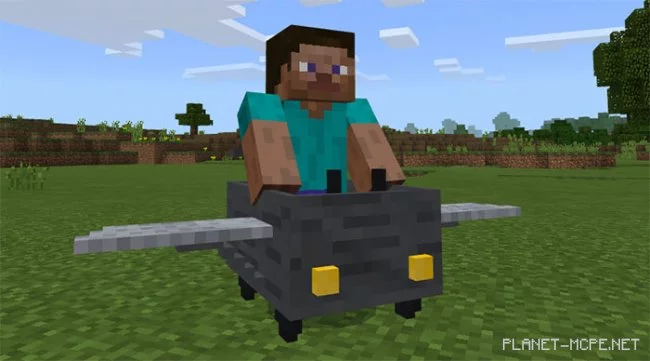
The mod «Controllable Airplane» is currently one of the top enhancements for Minecraft PE, introducing a fully controllable aircraft into the game. It actually adds a variety of new items, each serving a unique purpose in operating this flying machine. You may need a few attempts to master the controls, but once you get past this learning phase, you’ll be thrilled by the experience of flying. This is a highly innovative and engaging MCPEmod!
Landing the Airplane
There are several steps you need to take before you can fly and control the airplane in Minecraft PE.
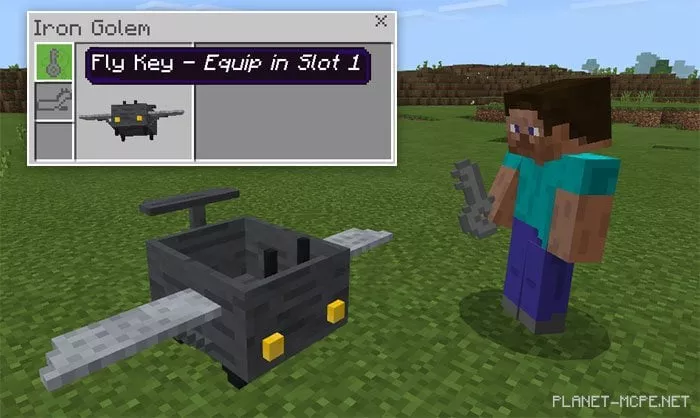
First, you need to either craft an airplane or locate one in the natural world of MCPE. It replaces the iron golem, so the easiest way to create it is by using the following command: /summon iron_golem
Place the key (found in the Creative inventory of Minecraft Pocket Edition) into the first slot of the airplane’s inventory.
Now it’s time to hop into the airplane and learn how to fly it:
iOS / Android: Long press on the airplane and select “Mount”
Windows 10: Right-click on the airplane to board it.
Controlling the Airplane
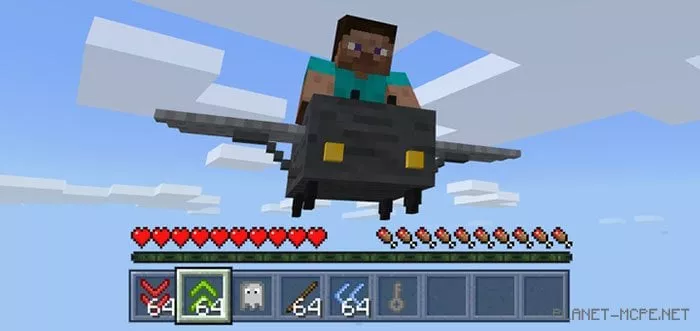
There are several new elements, each utilized differently to manage various functionalities of the airplane in Minecraft: Bedrock Edition. For instance, to take off, you’ll need to use the green and red arrows.
You can only fly the airplane in SURVIVAL mode! (Avoid playing on peaceful difficulty)
Green arrow up – hold the green arrow to ascend
Red arrow down – hold the red arrow to descend
Release both arrows to fly straight
Place blue arrows in the second slot of the airplane’s inventory to double your horizontal speed
Remove the key from the airplane if you just want to fly around
Put a ghost in the third slot of the airplane’s inventory to enable ghost mode. Fly through blocks! But be cautious, as this can be quite dangerous! It’s recommended to keep the item only in the slot while flying; otherwise, the airplane may exit the world.
If the key is inside the airplane and you can’t fly for some reason, take the key out and reinsert it to fix the issue.
To dismount from the airplane, hold a stick and tap on the airplane. You have 1 second to tap the airplane again to remove it; otherwise, the dismount process will reset.