CLab

Revolutionizing Minecraft Entity Rendering with CLab Mod
Introducing CLab, a cutting-edge client-side modification that enhances entity rendering in Minecraft by employing Hardware Occlusion Culling (HOC). This mod utilizes GPU OpenGL occlusion queries to directly assess entity visibility, effectively eradicating the errors and drawbacks associated with conventional CPU-driven pathtracing methods.
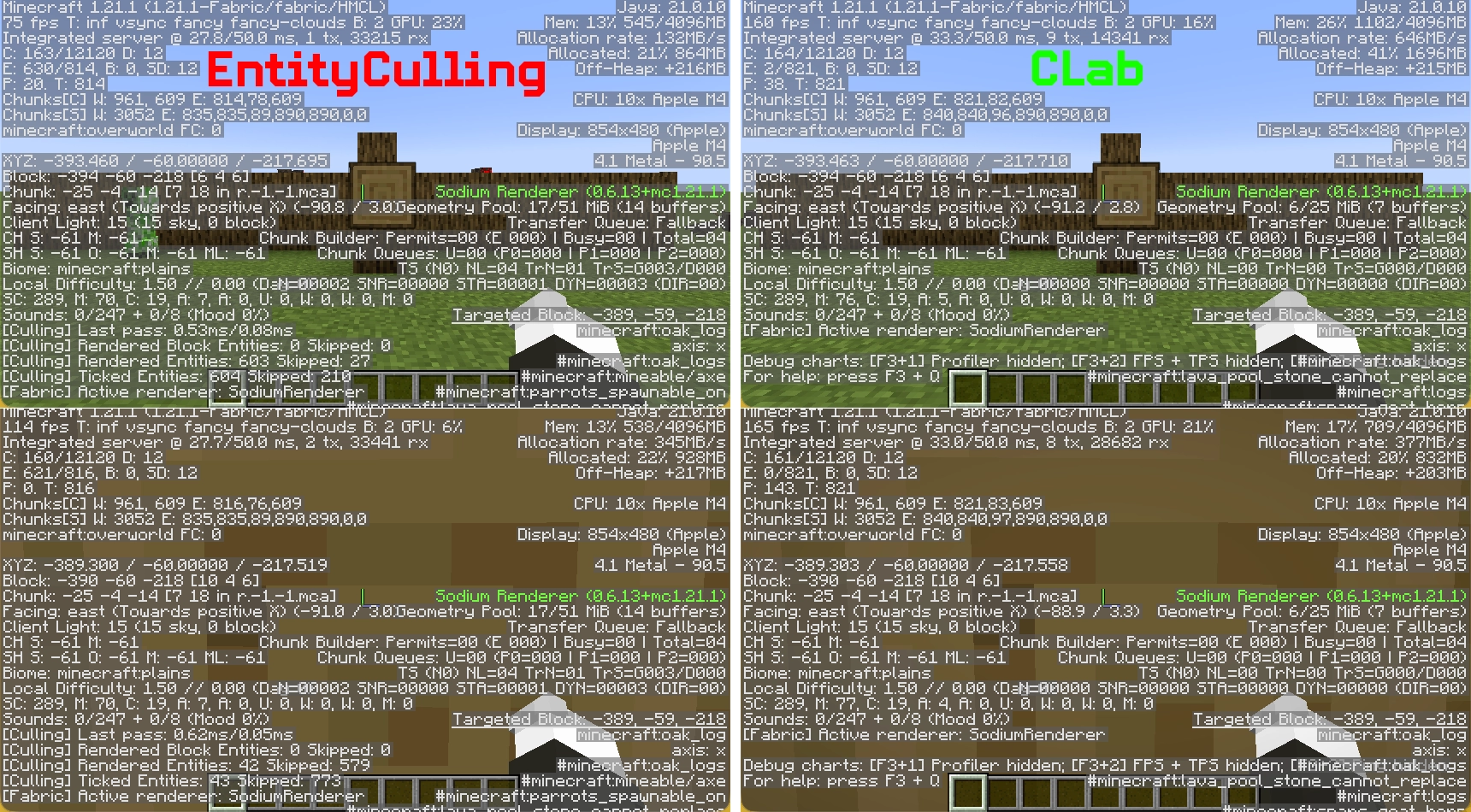
Employs GPU queries to check entity bounding boxes against the depth buffer, accurately measuring occlusion based on rendered terrain instead of relying on CPU-based world model approximations.
This feature is grounded in truthful depth buffer testing, ensuring that any entity with even a single visible pixel won’t be obscured. There’s no need for a whitelist or specific patches for individual mods.
Determines whether to activate the entity render method without affecting client-side ticks, animation states, positional interpolation, or any other logical processes. This means that trains, vehicles, and mechanisms function as expected.
Efficiently removes leaf faces obstructed by neighboring leaves, decreasing the burden of terrain rendering.
No need for an entity whitelist, distance thresholds, or tick-culling toggles. Simply install the mod and enjoy your game.
CLab employs Hardware Occlusion Culling in the following manner:
This creates a significant difference:
| Aspect | Standard CPU Pathtracing | CLab HOC |
|——–|————————-|———-|
| Basis for Occlusion | Simplistic assumptions about the world model | Actual depth buffer rendered by the GPU |
| False Positives (hiding visible entities) | Common, especially near non-solid blocks | Highly unlikely |
| Entity Tick/Animation | Often halted or skipped | Fully unaffected |
| CPU Workload | Ongoing background traversal | Render thread submits AABB only; the GPU handles everything else asynchronously |
| Configuration Needs | Requires whitelists, distance limits, compensatory thresholds | No configurations necessary |
The current design aims to ensure compatibility with older devices as well as macOS systems. A more sophisticated technique exists, but it would introduce compatibility challenges for these platforms. Testing and development are conducted on a Mac, which currently limits potential advancements. There are plans to shift to a machine with OpenGL 4.6 support shortly. Once that transition is complete, an automatic system will be introduced to choose the most suitable method during the loading phase.