In MinecraftJava, cinematic recording has become quite common, but this feature has yet to reach the Bedrock version. The mod titled Cinematron — Bedrock Replayer introduces the ability to capture cinematic shots and scenes with just a few clicks. This tool operates using command blocks, without the need for any new additions.
The commands for the mod are quite straightforward and user-friendly. If you encounter any issues or errors, type “/function CThelp” to access a brief guide for the add-on.Shooting Tips:
When adding a new replay, ensure that it is done by the player who has the camera. If you wish to record on your own, type “/function add_replay” on another player’s device.
Do not delete camera points. If it is absolutely necessary, use the command “/function remove_al” to remove all points and start over. This will also erase focus points.
Once a focus point is successfully set, a green message will appear in the Minecraft chat to notify you.
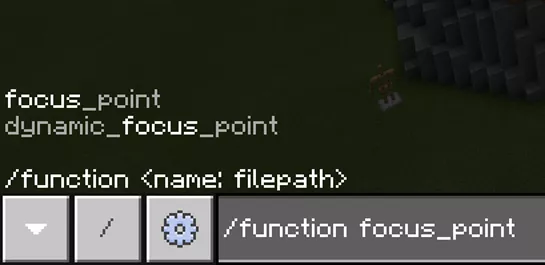
Before adding a dynamic focus point, you must stand behind the object (mob or player) that will be focused on, and then enter the command “/function dynamic_focus_point”.
«/function CThelp» — serves as a guide in case anything is unclear or if errors occur.
 Shooting Tips: