📢 Купить рекламу на сайте  — узнать цены и условия размещения!
📢
Купить рекламу на сайте — узнать цены здесь →

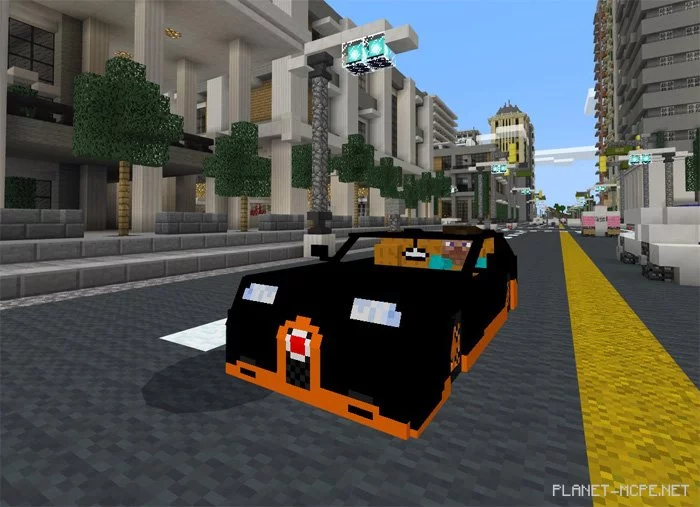
Bugatti Veyron Grand Super Sport

Bugatti Veyron Grand Super Sport
10.04.2026 Mods admin 0 comments 2 min 326 views

Hide from creepers and other similar monsters with the amazing high-end vehicle that will enhance your Minecraft Pocket Edition experience: the Bugatti Veyron Grand Super Sport mod! Bugatti Veyron Grand Super is a luxurious sports car, and now you can enjoy it in MCPE as well. If you’re looking for something different from a horse or donkey for your travels in Minecraft PE, this car is definitely a great upgrade.

How does it work?

The car spawns in the swamps of MCPE, indicating that it replaces the witch.

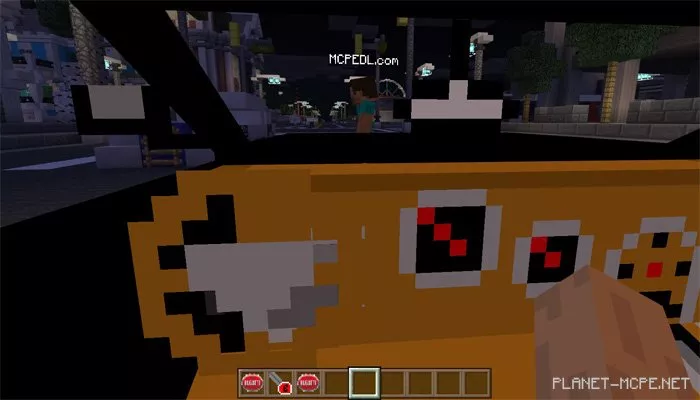
To drive the car, you will need a key (a carrot on a stick). Simply sit inside the vehicle (look for the car’s shadow), then hold the key to start moving in Minecraft PE.

  • iOS / Android: Long press on the car and select Drive. Then hold the key in your hand to start moving.
  • Windows 10: Right-click on the car to get in. Then hold the key in your hand to start moving.

Installing Bugatti Veyron Grand Super Sport (.mcpack)
  • Download the mod labeled as .mcpack below.
  • Run the downloaded file to import the addon/texture into MCPE.
  • Open Minecraft Pocket Edition and go to world settings.
  • Set the imported for the world:
    Resource Packs.
    Addons.
  • Select the imported resource packs/addons in each section.
  • It is recommended to restart the Minecraft PE client afterward.
  • Launch Minecraft Pocket Edition, enter the previously configured world in MCPE, and enjoy the addon!

Installing Bugatti Veyron Grand Super Sport (.zip)

  • Download the mod below.
  • Extract the two folders from the archive.
  • Move the folder Bugatti Addon behavior to the /games/com.mojang/behavior_packs/ folder.
  • Move the folder BUGGATI VEYRON RESOURCE to the /games/com.mojang/resource_packs/ folder.
  • Launch Minecraft Pocket Edition.
  • Create a new world or edit an existing one.
  • Set the selected world with the resource pack and addon that you previously moved to the resource_packs and behavior_packs folders.
  • All set! Restart Minecraft PE and enjoy your game!

Leave a comment