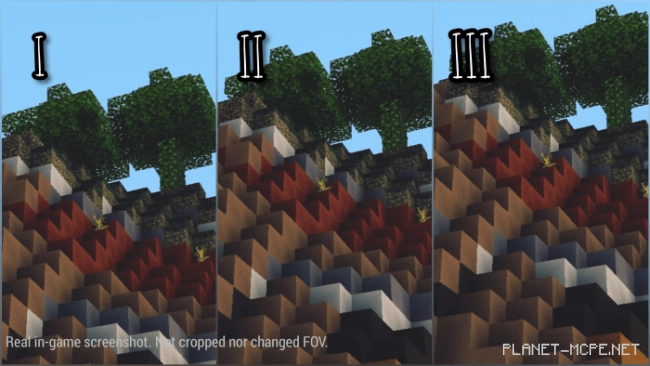
The mod “Binoculars’ Zoom” introduces two new custom items in Minecraft: a lens and a pair of binoculars. This will allow you to observe distant objects without having to move closer to them.
Crafting Recipes
Lens. This is the first item you need to craft.
Lenses are made from materials like glass. When light passes through the lens, it refracts, making distant objects appear closer.
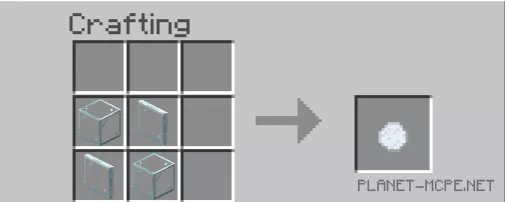
To craft one lens, you will need two pieces of glass and two glass panes. Note: you must use regular glass, not stained glass.
Once you have crafted the binocular component, you can proceed to the binoculars themselves.
Binoculars:
Binoculars are utilized for magnifying distant objects, allowing the user to remain stationary.
To create a pair of binoculars, you will need at least two lenses and six iron ingots. Craft them as illustrated in the image below.
Features of the Binoculars
Usage:
To use the binoculars, hold them in the hand that feels most comfortable for you.
Magnification:
There are three levels of zoom, each suited for specific scenarios. The higher the level, the greater the zoom effect. However, as the level increases, the zoom speed decreases.
To adjust the level, navigate to the behavior pack tab and move the slider.
The zoom level settings are retained even if you switch worlds in Minecraft. This is a convenient feature that eliminates the need to reconfigure the binoculars each time.
Binocular Vision:
“Binocular vision” refers to the part of the eye that enables the perception of a binocular shape around the eyes.