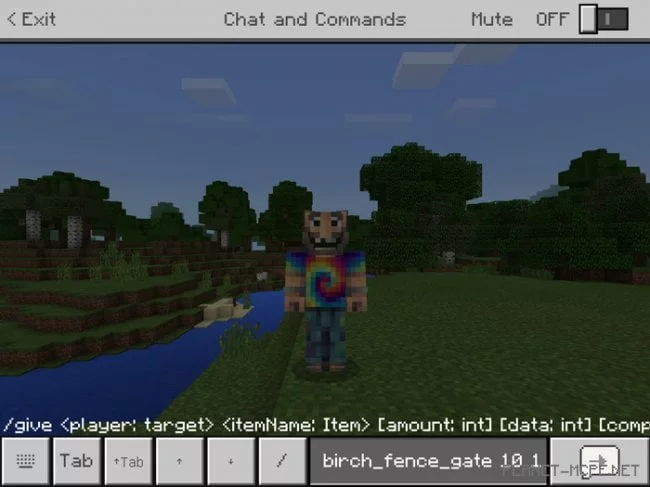
Experienced players of Minecraft may have noticed that the PE version lacks additional chat features that could assist in utilizing various commands. That’s why today we present to you a fantastic mod called “Autocompletion” for Minecraft Pocket Edition, which introduces several new buttons to the interface of your favorite game, making chat usage in MCPE much easier. These features have long been available in the PC version of Minecraft, and it’s unclear why they haven’t yet been incorporated into Minecraft PE.
How does it work?
Once you install this mod for Minecraft Pocket Edition, you’ll be able to re-enter commands you’ve previously used in chat, complete commands with just a few clicks, and access several other features.
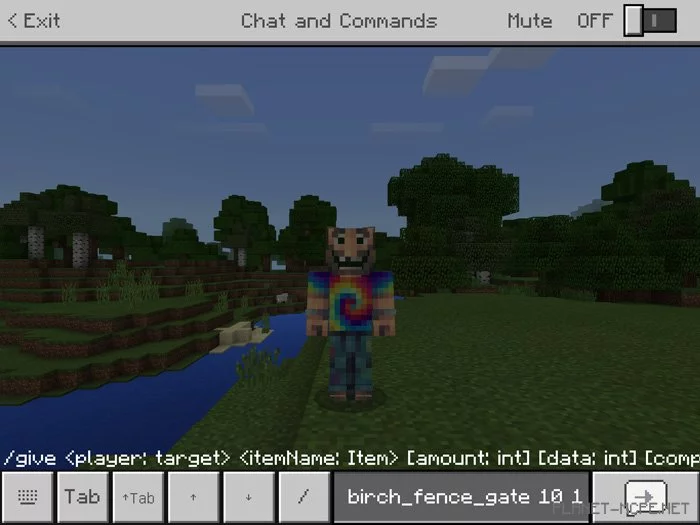
Shift + Tab Key (↑Tab): use this button to cycle through command options (for instance, if you need to enter the name of a birch item while using a command, this button allows you to switch between birch_door, birch_fence_gate, and other names)
Tab Key: this button lets you complete a command (for example, you can type /give NICK birch_f in chat, press this button, and your command will be automatically completed)
Previous Key (^): press this button to use the last command you entered in chat
Next Key (v): press this button if you have scrolled past the command you need
Changes
Updated to version 1.4
Some text has been modified
You can now choose the position of the graphical interface (left or right)
Pressing any button no longer closes the keyboard (this was fixed by Mojang in one of the 1.2 beta versions)