Mod “Alex’s Commands” is a modification that introduces a collection of essential commands to Minecraft Pocket Edition, which can be useful at any time.
Alex’s Commands features over 30 unique commands, including: teleportation, setting spawn points and homes, item acquisition, time manipulation, and much more with the modAlex’s Commands!
Below, this page outlines all the available commands you can use in MCPE, along with their functions. For commands with self-explanatory functions, there will be a skip.
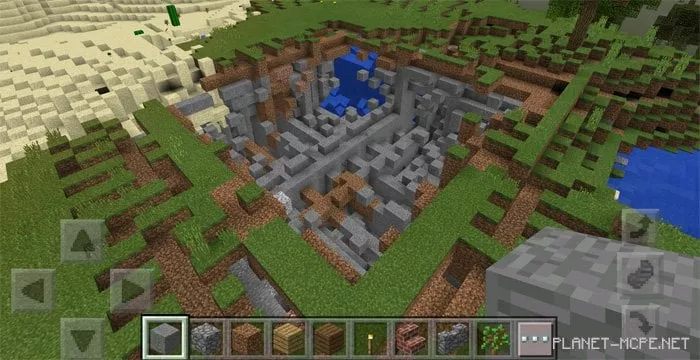
For instance, we executed the command — /nuke — which triggers a relatively small explosion that may cause lag on some devices.
Commands
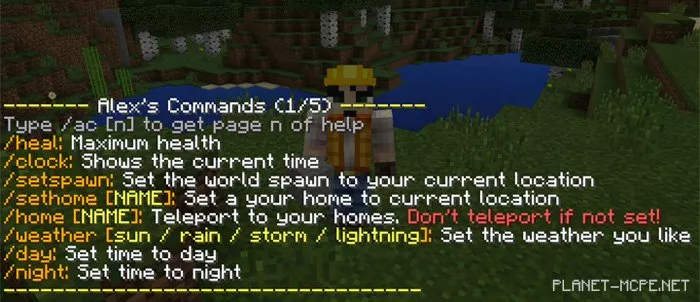
/ac <1-5> – displays a list of available commands.
/heal
/clock – shows the current time of day.
/setspawn
/sethome [NAME]
/home [NAME] – teleports you home.
/weather [sun / rain / storm / lightning]
/day
/night
/news – check the change log.
/kill
/cc – clears the chat.
/normal – sets the game speed to normal.
/faster – increases the game speed.
/slowmo – decreases the game speed.
/xyz – displays current coordinates.
/feed – fills hunger.
/nuke – explosive substance!
/soon – list of upcoming commands.
/fly [on / off]
/gm [1 / 0] – 1 = creative, 0 = survival
/remover – removes all items from your inventory.
/give [ID] [AMOUNT]
/settime [TIME]
/xp set [LEVEL]
/xp add [LEVEL]
/v [ON / OFF] – flag
/iteminfo – displays information about the selected item.