Hey everyone! You can finally dive into the new survival map called “Hard SkyBlock (Challenging Sky Survival)“! This map was created quite some time ago for Minecraft Bedrock, and I hope you enjoy this first survival map from the creator ItsDominicPlays!
How to Play?
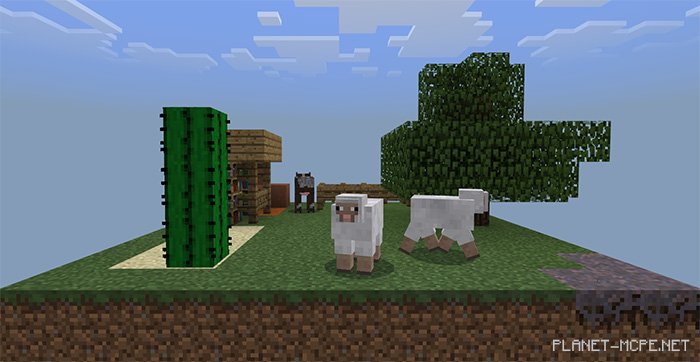
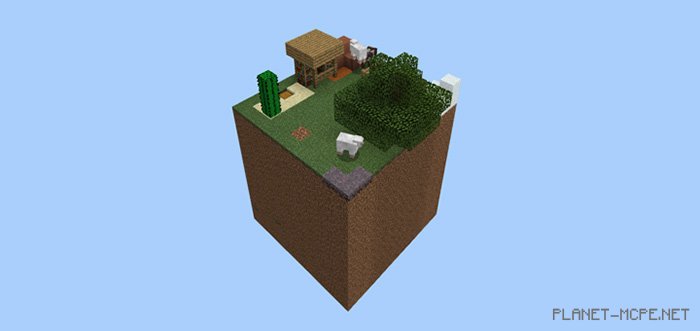
This is a survival cube in Minecraft, measuring 10x10x10, featuring numerous blocks that you can discover on this map. However, I must warn you:
This is a survival map where surviving will be quite challenging.
The map does not include Nether survival, but you can still explore here.
Installing Hard SkyBlock (.mcworld)
Download the map labeled as “.mcworld” below.
Open the downloaded file to import the map into MCPE.
Launch Minecraft Pocket Edition and select the imported world.
Installing Hard SkyBlock (.zip):
Download the map.
Extract the map from the archive.
Move the map to the path: “/games/com.mojang/minecraftWorlds”.
Open Minecraft PE > Play > Select the installed map.
![Hard SkyBlock Map [Survival]](https://new.planet-mc.net/wp-content/uploads/2026/02/1541024260_skyblock-3-1-1.jpg)
![Hard SkyBlock Map [Survival]](https://new.planet-mc.net/wp-content/uploads/2026/02/1541024292_skyblock-1.jpg)