Реклама на сайте
2 млн+ просмотров в месяц
Ads

Shader Utility

Shader Utility
05.02.2026 Shaders admin 0 comments 1 min 196 views

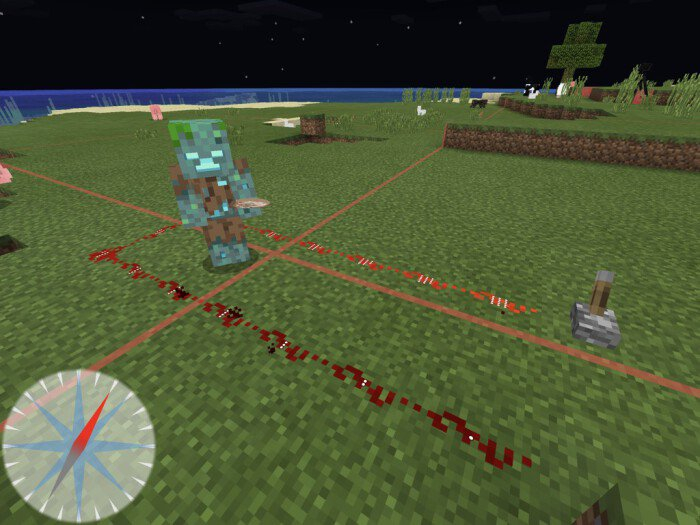
ShaderUtility (Utility)” introduces a variety of features to Minecraft, enhancing the game’s quality and precision. For instance, it includes chunk boundary highlighting, redstone signal levels, and night vision mode.

Features:

  • Night vision.
  • Chunk boundaries.
  • Redstone signal level.
  • Compass (you can adjust its size in the settings within Minecraft).

Shader is compatible with platforms such as iOS, Android, and Windows 10.
Installing Utility (.mcpack)

  • Download the shaders labeled as “.mcpack” below.
  • Open the downloaded file to import the shaders into Minecraft.
  • Launch Minecraft Pocket Edition and navigate to world settings.
  • For your world, apply the imported:
    Resource Packs.
  • Select the imported shaders in each section.
  • It is recommended to restart the game client Minecraft PE afterwards.
  • Start Minecraft Pocket Edition, enter the previously configured world Minecraft, and enjoy the shaders!

Leave a comment