Реклама на сайте
2 млн+ просмотров в месяц
Ads

Shaders Night Vision 1.8
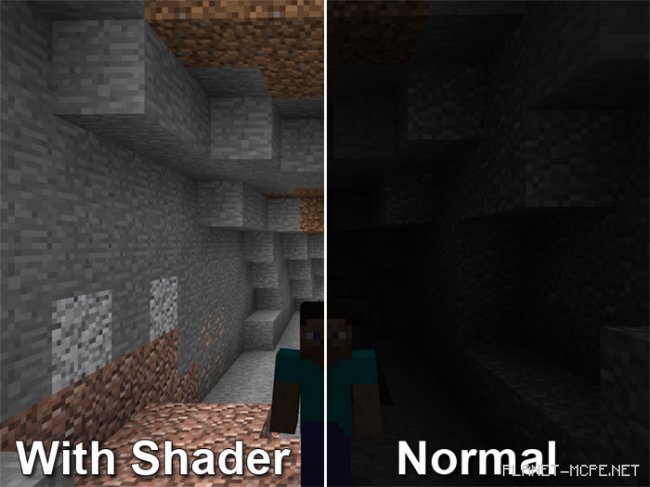
Shaders Night Vision 1.8
05.02.2026 Shaders admin 0 comments 2 min 194 views

Tired of constantly restocking your supply of torches and carrying them around? We have a solution for you! Today, we invite you to download and install special shaders called Night Vision for Minecraft Bedrock, which will grant you true night vision! Say goodbye to torches and explore the vast world of Minecraft at any hour, as darkness will no longer be an obstacle. The gameplay remains unchanged, except now you’ll forget about nighttime.

How Does It Work?

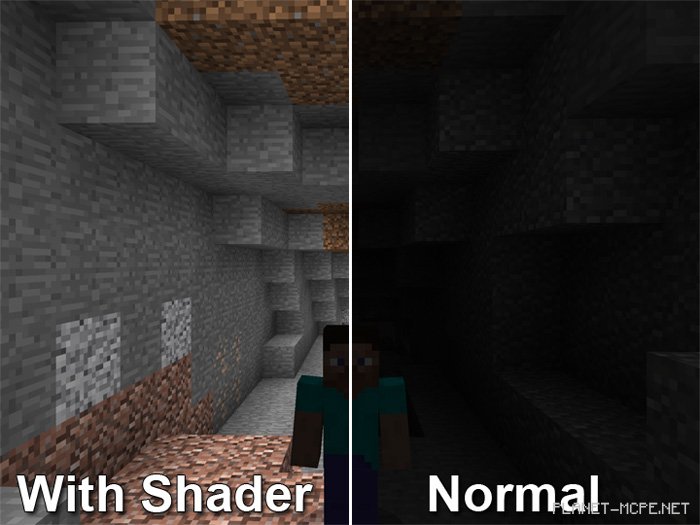
You’ll notice a significant difference when exploring underground in Minecraft Pocket Edition. Below, you can see how caves transform after installing these shaders for Minecraft Bedrock. As shown, this addition makes life much easier for players in Minecraft PE!
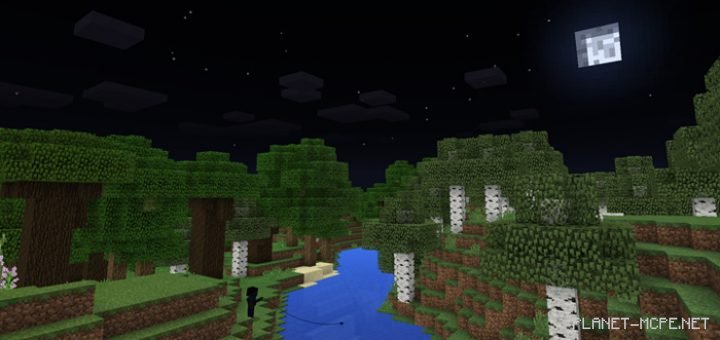
Nights will also look completely different. All blocks in the Minecraft world will appear just like they do during the day, although the sky will remain dark. Similarly, players and mobs will still be shrouded in darkness at night.
Changes

  • Support added for versions 1.8/1.9, including Windows 10
  • Bugs fixed

Installing Night Vision (.mcpack)

  • Download the texture pack labeled “.mcpack” below.
  • Run the downloaded file to import the add-on/texture into Minecraft.
  • Open Minecraft Pocket Edition and go to world settings.
  • Set the imported:
    Resource Packs for your world.
  • Select the imported resource packs/add-ons in each section.
  • It is recommended to restart the game client Minecraft PE afterward.
  • Launch Minecraft Pocket Edition, enter the previously configured world Minecraft Bedrock, and enjoy the texture pack!

Installing Night Vision (.zip):

  • Download the textures.
  • Create a folder named “resource_packs” in the directory “games/com.mojang/”.
  • Extract the textures from the archive and move only the folder from that archive into the “resource_packs” folder.
  • Go to the settings in Minecraft Bedrock, then manage textures.
  • Select your textures.
  • Have fun playing!

Leave a comment